Down Button
A: In video recording mode, short press to
turn on/off audio recording.
B: In setting menu, short press to select the
setting options and adjust value.
Menu Button
A: In standby, short press to access setting
menu under all mode.
B: In setting menu, short press to switch bet
-ween mode setting and system general set
-ting.
Indicator
There are 2 indicators, red for power, and blue for wor
-king status. Red indicator stays on means the camer
-a is powered with external power supply, and red off
-means it's running on battery. Blue indicator flashing
means the camera is recording.
Installation Guide
1. Before installation, please check the camera's nor
-mal function, and make sure you are using a high spe
-ed Micro SD card (speed Class 10 or above.),and for
-mat the card in the camera menu before recording.
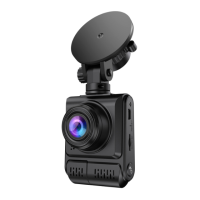
2. Power off the camera,Connect the suction cup mou
-nt to the camera with the screw mount.
3. Apply the suction cup mount to the windshield,and
press down the clip on the mount, the ideal installatio
-n position should be near the center of the windshield
and up high.
support@chortau.cc
4
UK


 To Next Page