EasyManua.ls Logo

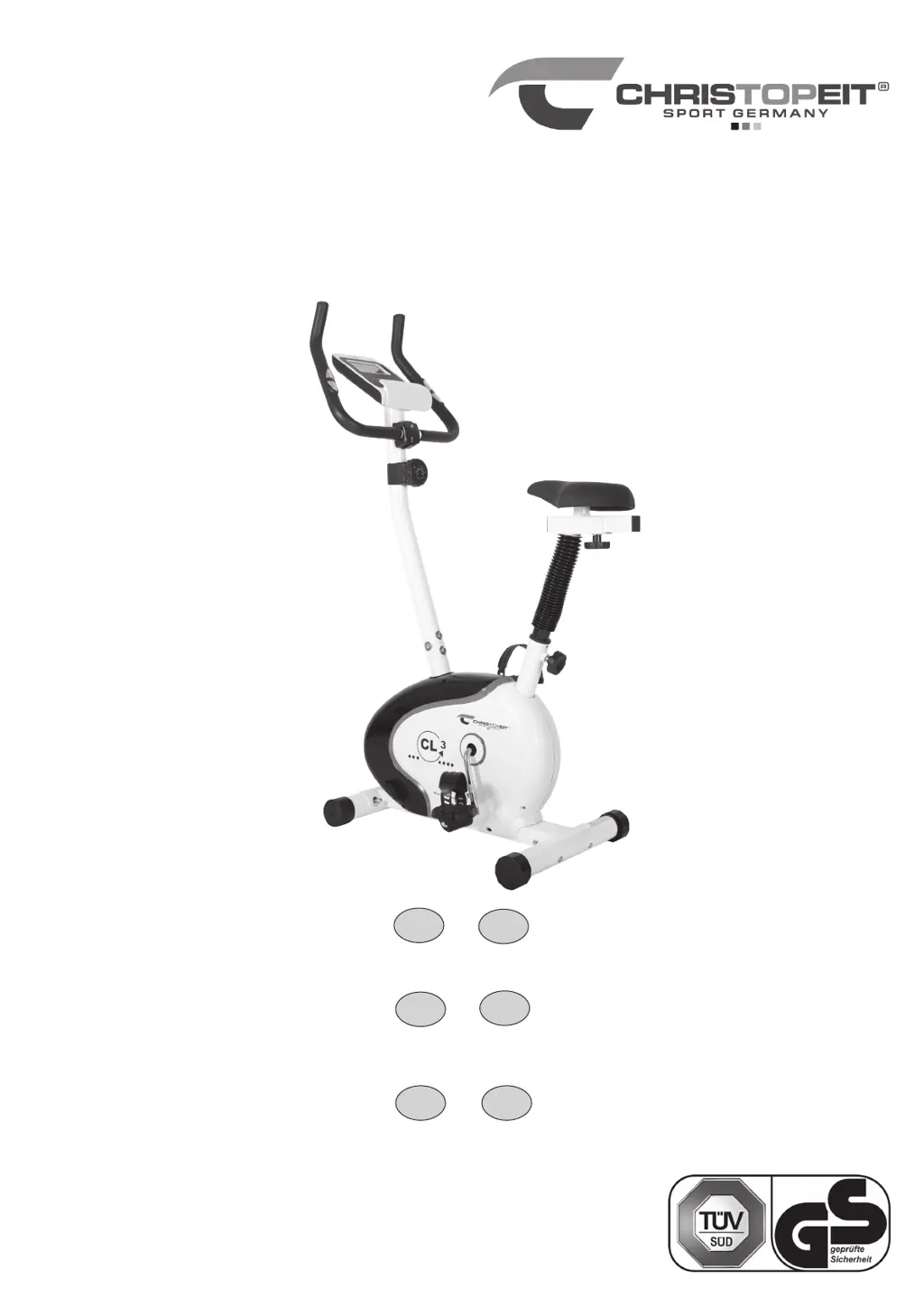
Christopeit Sport CL3 - User Manual

Christopeit Sport CL3
64 pages
Go to English
Print Icon
To Next Page IconTo Next Page
Loading...
1
Montage- und Bedienungsanleitung
für Bestell-Nr. CL 3-1305(A)
Notice de montage et d’utilisation du
No. de commande
CL 3-1305(A)
Assembly and exercise instructions
for Order No.
CL 3-1305(A)
Montage- en bedieningshandleiding voor
Bestellnummer CL 3-1305(A)
GB
D
F
NL
Heimsport-Trainingsgerät
CL 3
RU
Инструкция по монтажу и эксплуатации
№ заказа CL 3-1305(A)
Návod k montáži a použití pro
objednací číslo CL 3- 1305(A)
CZ

Questions and Answers

  • F
    flemingrachelAug 4, 2025
    Why doesn't the resistance change on my Christopeit Sport CL3?
    • J
      Jeffrey KnightAug 4, 2025
      If the resistance on your Christopeit Sport Exercise Bike isn't changing, the connection for the resistance might not be properly secured. Inspect the resistance connection inside the handlebar support, referring to the manual for guidance.
  • T
    thomasglennAug 8, 2025
    What to do if there is no pulse value on my Christopeit Sport CL3 Exercise Bike?
    • C
      Charles SanchezAug 8, 2025
      If your Christopeit Sport Exercise Bike isn't displaying a pulse value, ensure the separate pulse cable is securely connected to the computer.
  • B
    bradley13Aug 13, 2025
    How to fix no pulse value on Christopeit Sport Exercise Bike?
    • M
      Michael RiveraAug 13, 2025
      If your Christopeit Sport Exercise Bike isn't displaying a pulse value, unscrew the screw for pulse measurement. Check that the plugs are well connected and that there's no damage to the pulse cable.
  • R
    Russell HarrisAug 18, 2025
    Why is my Christopeit Sport Exercise Bike computer not counting data?
    • Z
      zjacksonAug 18, 2025
      If the computer on your Christopeit Sport Exercise Bike isn't counting data or switching on after you start cycling, it could be due to a missing sensor impulse from a poorly plugged connection. Check the plug connections at the computer and inside the handlebar support.
  • H
    Heather PorterAug 23, 2025
    What to do if my Christopeit Sport Exercise Bike computer is not counting data after cycling?
    • D
      denise98Aug 23, 2025
      If the computer on your Christopeit Sport Exercise Bike isn't counting data or switching on after you start cycling, the sensor impulse may be missing because of an incorrect sensor position. Remove the cover and check the distance between the magnet and the sensor. The magnet on the turning belt wheel should be less than 5mm from the sensor.
  • S
    stewartchadAug 28, 2025
    How to fix a Christopeit Sport Exercise Bike computer with no display value?
    • W
      William OlsonAug 28, 2025
      If the computer display on your Christopeit Sport Exercise Bike shows no value when you press a key, the batteries may be missing or empty. Check the battery position in the battery compartment or replace the batteries.

Summary

Important Recommendations and Safety Information

Parts List

Assembly Instructions

Step 1: Install Front and Rear Foot

Attaching the front and rear stabilizers to the main frame using screws, washers, and nuts, ensuring proper alignment.

Step 2: Install Pedals

Correctly screwing the left and right pedals into the pedal crank, noting the specific clockwise and anticlockwise threads.

Step 3: Install Saddle and Support

Step 4: Install Handlebar Support

Connecting the handlebar support to the main frame, including routing computer cables and the tension control cable.

Step 5: Install Handlebar

Step 6: Install Computer

Mounting the display unit onto the handlebar support, connecting cables, and inserting batteries for functionality.

Step 7: Final Checks

Mount, Use & Dismount

Procedures for positioning the equipment, performing exercises, and safely exiting the machine after training sessions.

Mounting the Bike

Instructions on how to safely get onto the exercise bike, involving foot placement and body positioning.

Using the Bike

Guidelines for proper hand and foot placement, pedaling technique, and adjusting resistance for effective workouts.

Dismounting the Bike

Steps for safely getting off the exercise bike, focusing on balance and controlled movement.

Computer Instructions

Display Functions

Explanation of various data readouts like speed, time, distance, calories, and pulse rate shown on the console.

Computer Keys

Description of the function (F), enter (E), and delete (L) keys and their roles in operating the training computer.

Training Instructions

Intensity

Guidance on setting appropriate exertion levels, using pulse rate as a primary indicator for effective training.

Frequency

Recommendations on training session frequency for maintaining fitness or improving physical condition.

Planning the training

Structuring each workout session into warm-up, main training, and cool-down phases for optimal results.

Motivation

Strategies for maintaining consistency and achieving personal fitness goals through regular training.

Warm up exercises

Specific exercises to prepare the body for training, increasing circulation and flexibility before the main workout.

Cleaning, Checks and Storage of the home bike

Troubleshooting

Christopeit Sport CL3 Specifications

General IconGeneral
Resistance SystemMagnetic
Max User Weight150 kg
DisplayLCD
Resistance Levels8
Display FeedbackTime, Speed, Distance, Calories, Pulse
Drive SystemBelt
Resistance TypeManual
Display MetricsTime, Speed, Distance, Calories, Pulse
Seat AdjustmentVertical and Horizontal
Transport WheelsYes
TypeUpright Exercise Bike
Pulse MeasurementHand Grip Sensors
PedalsWith straps

Related product manuals