Manual Operation
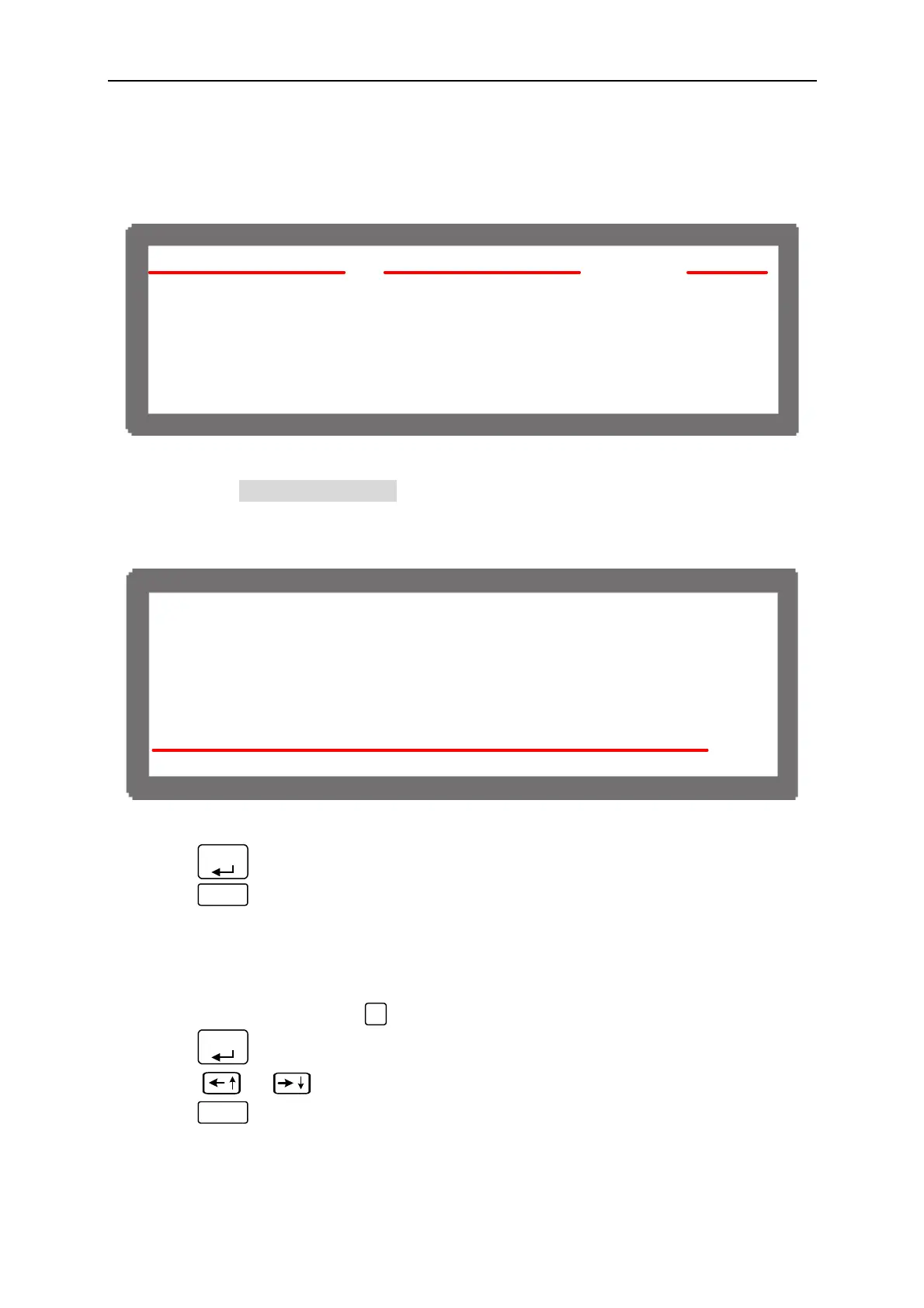
Ex.: In Figure 3-14, the voltage setting is 80.00V, current setting is 15.00A and output
setting is ON. When it powers on again, the instrument will remain the previous state
by setting the voltage to 80.00V, current to 15.00A and output to ON.
V _ S E T = 8 0 . 0 0 V I _ S E T = 1 5 . 0 0 A C V O N
8 0 . 0 0 V
12 . 00A
9 6 0 . 0 W
Figure 3-14
When set to USER DEFINITION a setting line will prompt beneath the POWER ON
STATUS line for users to set the default power-on state including voltage (V_SET),
current (I_SET) and OUTPUT=ON/OFF.
[ S Y S T E M S E T U P ]
G P I B A D D R = 1
R S - 2 3 2 B A U D R A T E = 9 6 0 0
A P G = N O N E
B A C K L I G H T = H I G H
B U Z Z E R = O N
P O W E R O N S T A T U S = U S E R D E F I N I T I O N
V = 1 0 . 0 0 V I = 4 0 . 0 0 A O U T P U T = O N
Figure 3-15
3. Press “
ENTER
” to confirm.
4. Press “
EXIT
” to return to MAIN PAGE.
3.3.2 OUTPUT SETUP
1. In Config Setup page, press “
2
” key to display the screen of Figure 3-16.
2. Press “
ENTER
”, to enter into Output Setup.
3. Press “
”, “
” keys to move the cursor to the column to be set.
4. Press “
EXIT
” to return to MAIN PAGE.
3-11



 To Next Page