Operation
4-31
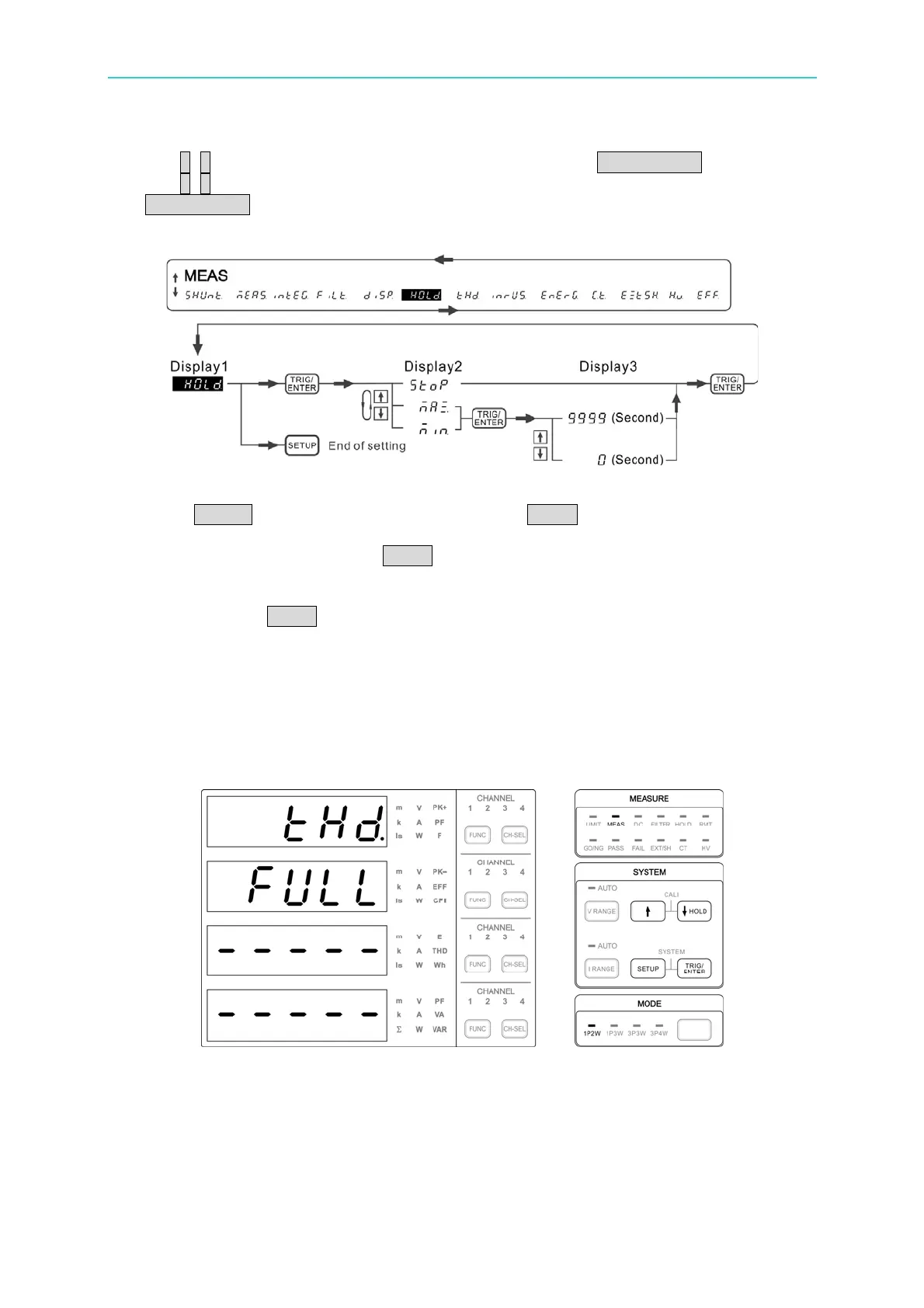
2. Use ↑, ↓ to select HoLd in the 1
st
display window and press TRIG/ENTER to confirm it.
3. Use ↑, ↓ to select one of the Stop, Max and Min in the 2
nd
display window and press
TRIG/ENTER. If Max or Min is selected, it needs to set the maximum or minimum
comparison time in the 3
rd
display window. If Stop is selected, it is no need to set the
time. The time judgment range is 0~9999 seconds. The setting resolution is 1 second.
Figure 4-48 Process for Setting HOLD
4. Press SETUP to return to the main menu. Press HOLD to enable HOLD. The HOLD
indicator lights up.
5. When STOP is selected, press HOLD the display will pause. To resume it, press any
key in the SYSTEM block and the HOLD indicator will be off.
6. When Max is selected and the time is set to 0, it is equivalent to STOP. If the time is
set to 10, press HOLD and the panel will blink and refresh for the maximum value within
10 seconds. Once the time is met, a long beep will sound to remind the user the
measured maximum. Then the display will pause and make short beeps. To resume
it, press any key in the SYSTEM block and the HOLD indicator will be off.
7. Min is to measure the minimum value within the set time frame. The setting is the
same as Max.
THD
Figure 4-49 THD Setup Screen
The Total Harmonic Distortion (THD) function of the 66203/66204 Digital Power Meter is to
calculate the RMS ratio from the higher order harmonics and the fundamental. Please see
section 4.4 for the THD calculation formula. The power meter uses the internal
zero-crossin
g circuit and frequency calculation module to get the fundamental wave
frequency. The Digital Signal Processor (DSP) computes the sampling rate and uses



 To Next Page