Digital Power Meter 66203/66204 User’s Manual
4-32
analog/digital converter to perform sampling on the voltage/current signals, and then sends
the data back to DSP performs Fourier transform to get the RMS value of fundamental and
each harmonic. The THD is then calculated. When performing the THD measurement, if
the digital filter is enabled, up to 6 kHz signal of the harmonic will be filtered out; therefore, it
is necessary to evaluate the influence caused by the filter.
The 66203/66204 Digital Power Meter is unable to show the composition of harmonic but
VTHD or ATHD only. However, it can view the fundamental, harmonic and DC composition
via the software panel. The waveform amplitude formed by the fundamental, harmonic,
interharmonic and DC determines the power meter’s measurement range. Therefore, the
harmonic measurement range and the RMS measurement range are the same. When the
harmonic amplitude is smaller than the measurement range, the measured harmonic is also
unstable due to the influence of noise and measurement resolution.
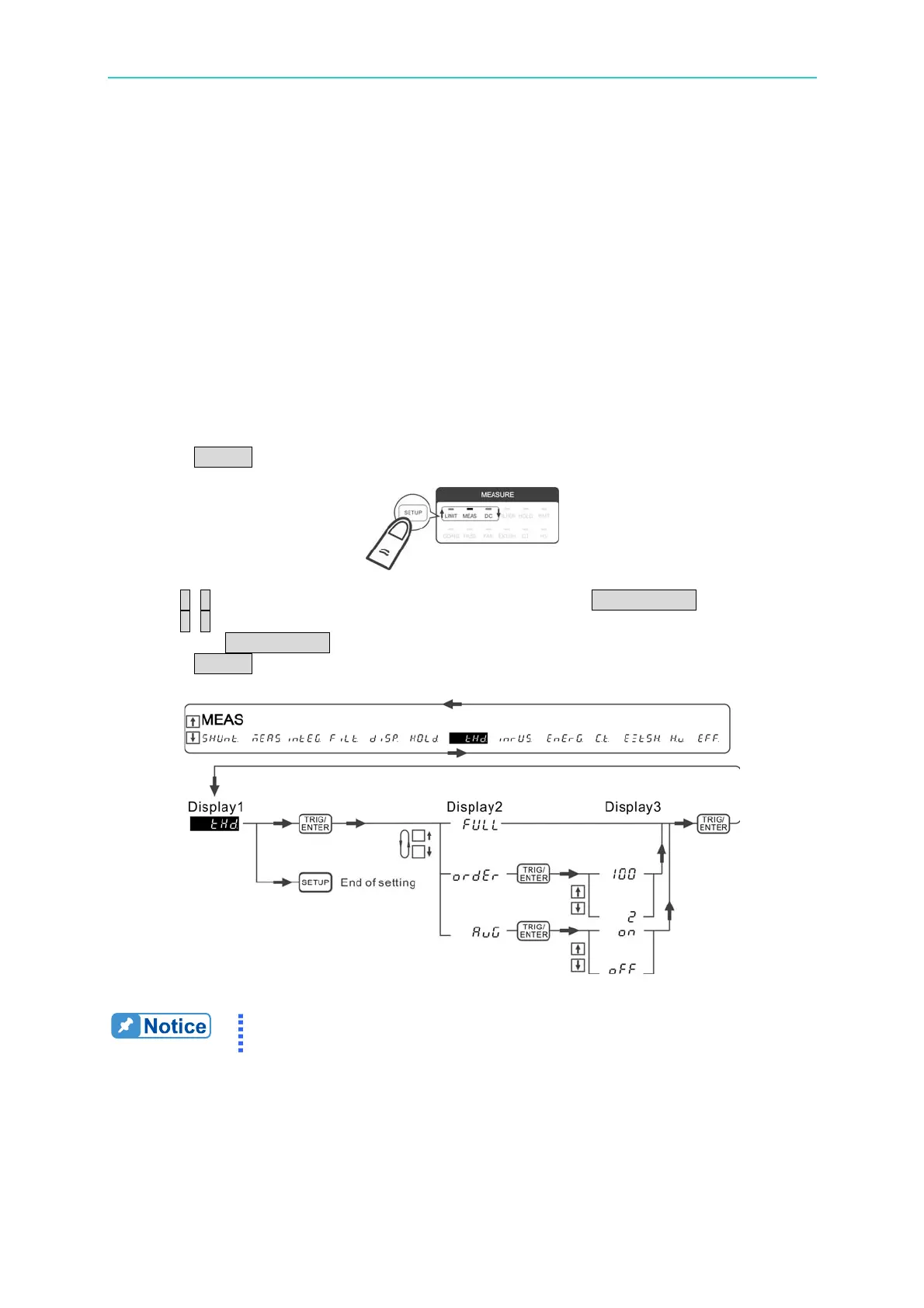
Follow the procedure to set the parameter:
1. Press SETUP to select Meas. The Meas indicator is on indicating it is in Meas menu.
2. Use ↑, ↓ to select THD in the 1
st
display window and press TRIG/ENTER to confirm it.
3. Use ↑, ↓ to select the desired harmonic level FULL or 2~100 in the 2
nd
display window
and press TRIG/ENTER.
4. Press SETUP to return to the main menu.
Figure 4-50 Process for Setting THD
If the THD measurement is not stable, please turn on the AVG function
to get a more stable measurement.



 To Next Page