Operation
4-33
INRUS
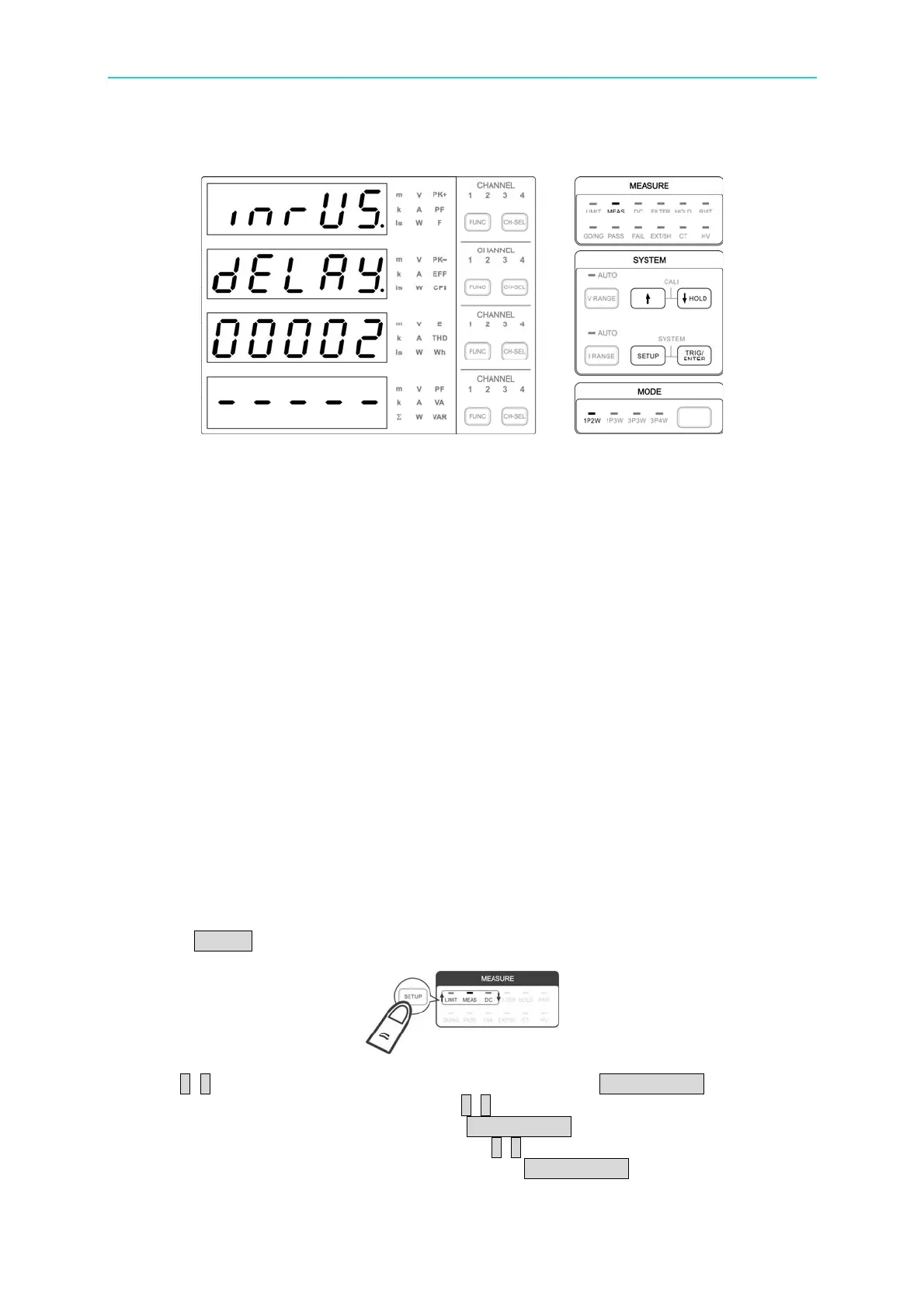
Figure 4-51 INRUSH CURRENT Setup Screen
Following is the example of measuring inrush current. In order to sampling the maximum
value within a period of time in the current waveform, the gain amplifier of power meter
needs to scale the waveform without distortion for the analog/digital converter to do sampling
on the waveform. The sampling speed determines if the maximum value of waveform can
be captured. The sampling value is not processed by the low pass filter even the digital
filter is turned on and it won’t affect the measurement accuracy of inrush current.
The inrush current is usually huge and it related to the capacitor initial voltage of UUT’s
circuit. The measured current often requires to cross several current ranges of the
66203/66204 power meter. If the range is set to auto, the best measurement time may be
missed when switching the range. Thus, range change is not allowed when doing inrush
current measurement. For range change during AUTO or passing range during Manual, the
66203/66204 power meter will prompt a Range Change Error (RCE) message. It is
suggested to fix the range to 20A or set the range manually to an appropriate one after
pretesting to get the best current measurement resolution.
Besides triggered by the current level, the inrush current can also be triggered externally.
When using the external trigger source to trigger the inrush current measurement, the set
triggering level will be ignored but apply the delay time set before starting the measurement.
Please see Appendix A for the pin detail of external trigger signal.
Following is the procedure to set the parameter:
1. Press SETUP to select Meas. The Meas indicator is on indicating it is in Meas menu.
2. Use ↑, ↓ to select inrUS in the 1
st
display window and press TRIG/ENTER to confirm it.
3. The 2
nd
display window shows delay, use ↑, ↓ to set the delay time in the 3
rd
display
window with the time unit of ms and press TRIG/ENTER.
4. Next, the 2
nd
display window shows time, use ↑, ↓ to set the measurement time in the 3
rd
display window with the time unit of ms and press TRIG/ENTER.



 To Next Page