English – V.202106
USB and Ethernet Stand Alone interface 5 Datasheet / Technical manual
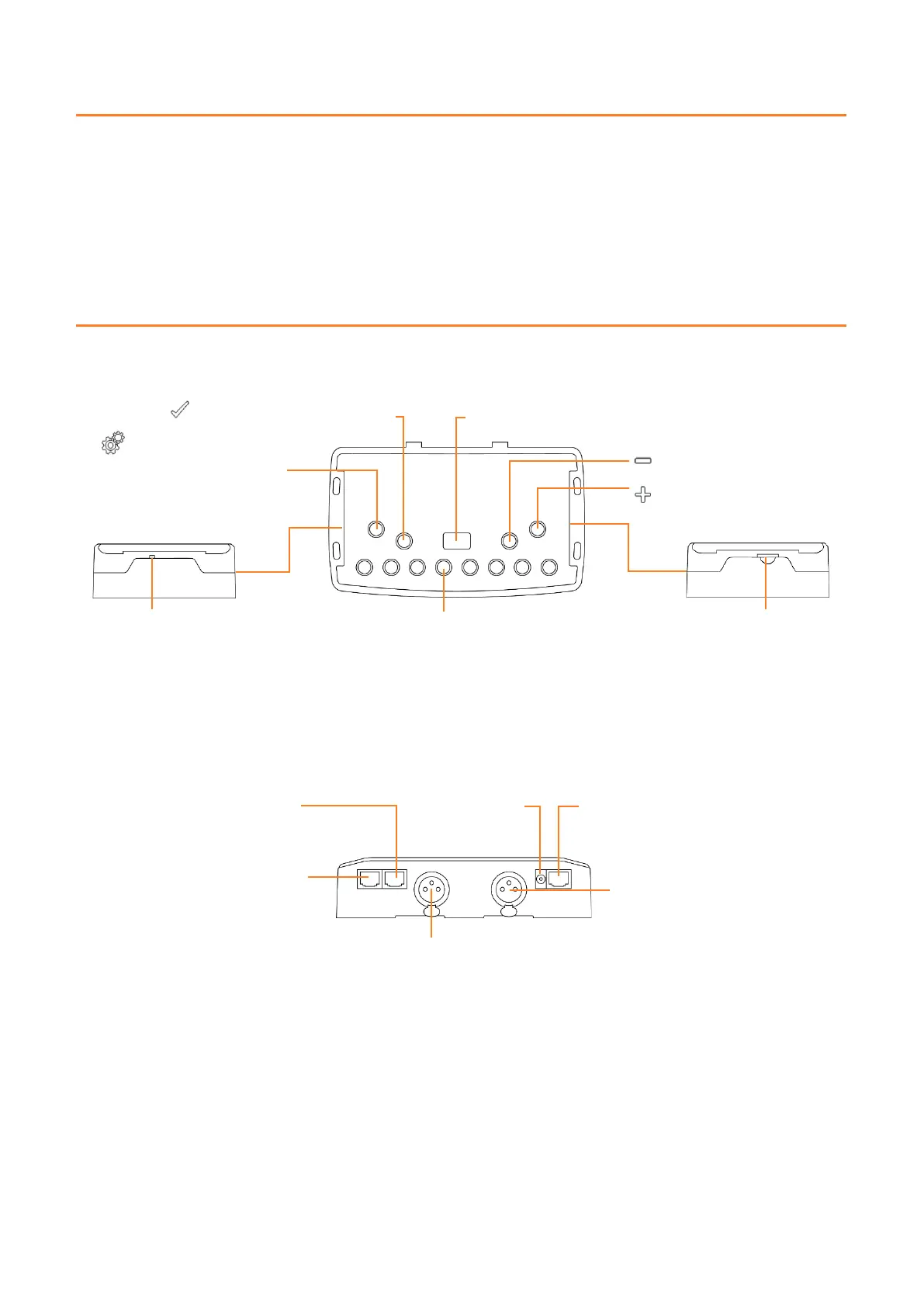
Mini USB connector and USB
power connector
5 DC Volts only; 0,15-1 A
: Confirm selection / Colour Off
RJ 45 connector TRIG
5 Volts out
Power supply 9V-24V
DC input jack
RJ45 Ethernet port
Network (LAN) connection
RJ45 connector Input/Output
1: Master/Slave – Clock
2: Master/Slave – Data
3: Lighting Fixture – Data
4: IR Signal via external IR receiver
5: Not use
6: Not use
7: 5 Volts out
8: Ground
XLR DMX Signal Connector B
3 Pins. Can be set to Output mode
(splitter for 512 interface or output for
1024) or Input mode (PC for 512, PC
and Stand Alone for 1024).
1: Ground
2: Data -
3: Data +
XLR DMX Signal Connector A
1: Ground
2: Data -
3: Data +
1024 channels DMX + Stand Alone mode, Live Board mode
1024 channels, normal mode, 30-minute loop of Audio and Video Timeline
1 or 2 Universes (DMX + Artnet)
Control Player, Pro or Pixel Mapping software over local WiFi network
BUTTONS AND CONNECTIVITY
Front and Side Panels
Rear Panel
: Mode selection
(Trigger, Page, Colour, Speed,
Dimmer, Zone, Function)
1: Scene 1 On/Off
2: Scene 2 On/Off
3: Scene 3 On/Off
4: Scene 4 On/Off
5: Scene 5 On/Off
6: Scene 6 On/Off
7: Scene 7 On/Off
8: Scene 8 On/Off
Display: 7-segment LED display



 To Next Page