7
Step Three: Connect the Hub to Your Router
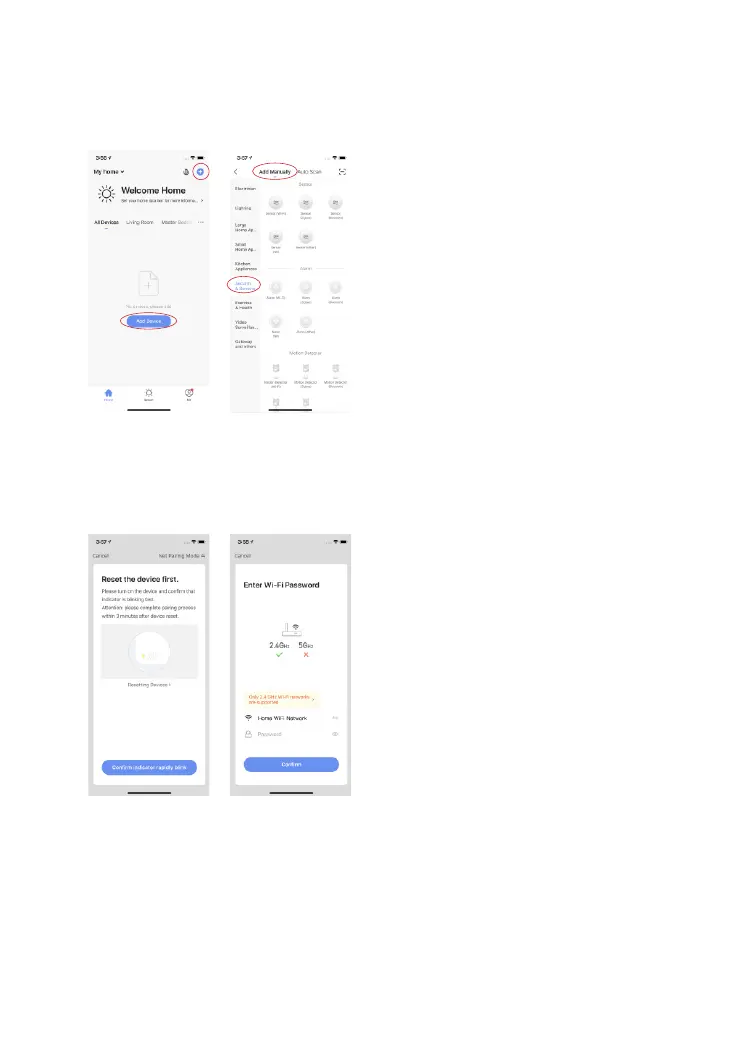
1.Tap “+” on the home page and then tap “Add Manually”. In the “Security & Sen-
sors” list, tap “Alarm (Wi-Fi)” under the “Alarm” category.
2.There are two ways to add the device: EZ mode (by default) and AP Mode.
EZ Mode: After powering on the device, if the indicator is blinking fast, tap “Conrm
indicator rapidly blink” to continue. Then, enter the WiFi password and tap “Conrm”
to complete the setup.



 To Next Page