7 8
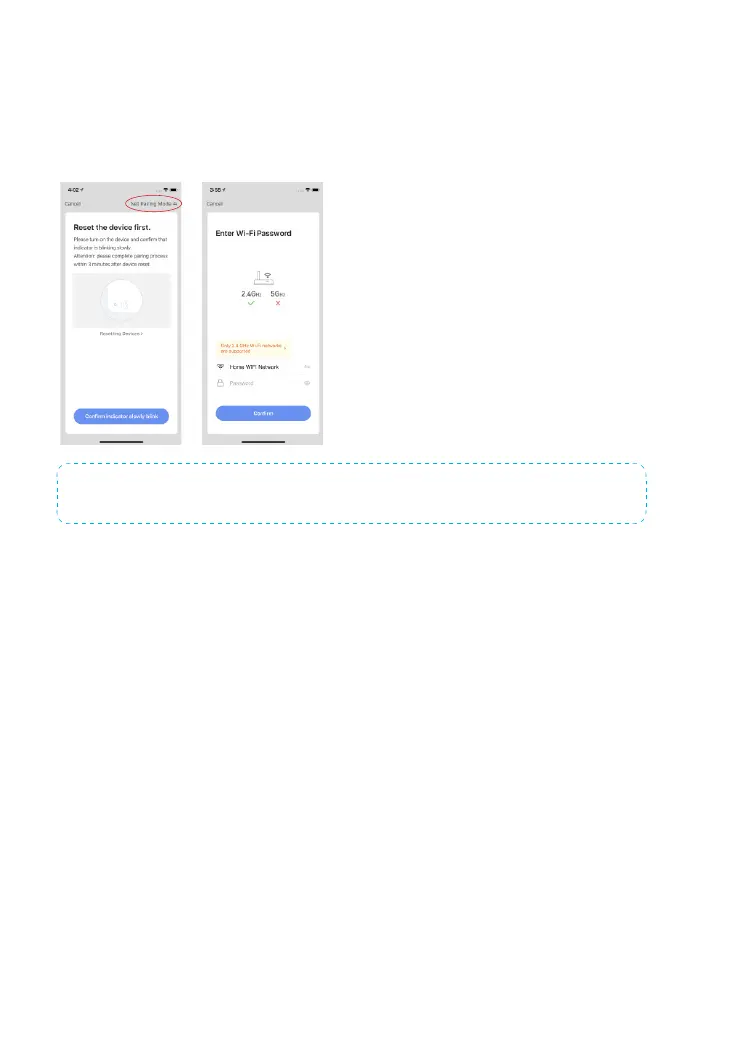
AP Mode: If the EZ Mode is not working or if the indicator is blinking slowly, try
the AP Mode. Tap“Net Pairing Mode”and then tap“AP Mode”and to continue.
Then, enter the WiFi password and tap “Conrm”. Once that is done, connect your
mobile phone to the device hotspot by tapping “Go to Connect”. After you nd and
connect to “SmartLife-XXXX”, return to the app to complete the setup.
Note: You can press and hold the WiFi Conguration Button for 5 seconds to switch between EZ
Mode and AP Mode.
Important: The Hub does not support 5GHz band WiFi. If a dual-band (5GHz and
2.4GHz) router is used, make sure to connect to the 2.4GHz WiFi instead of the
5GHz's. Make sure your smart phone is connected to the local WiFi network and
then follow the steps in the app to connect the hub to the router.



 To Next Page