KR series(6-10kVA)user’s manual
- 30 -
4.10 System inspection and testing
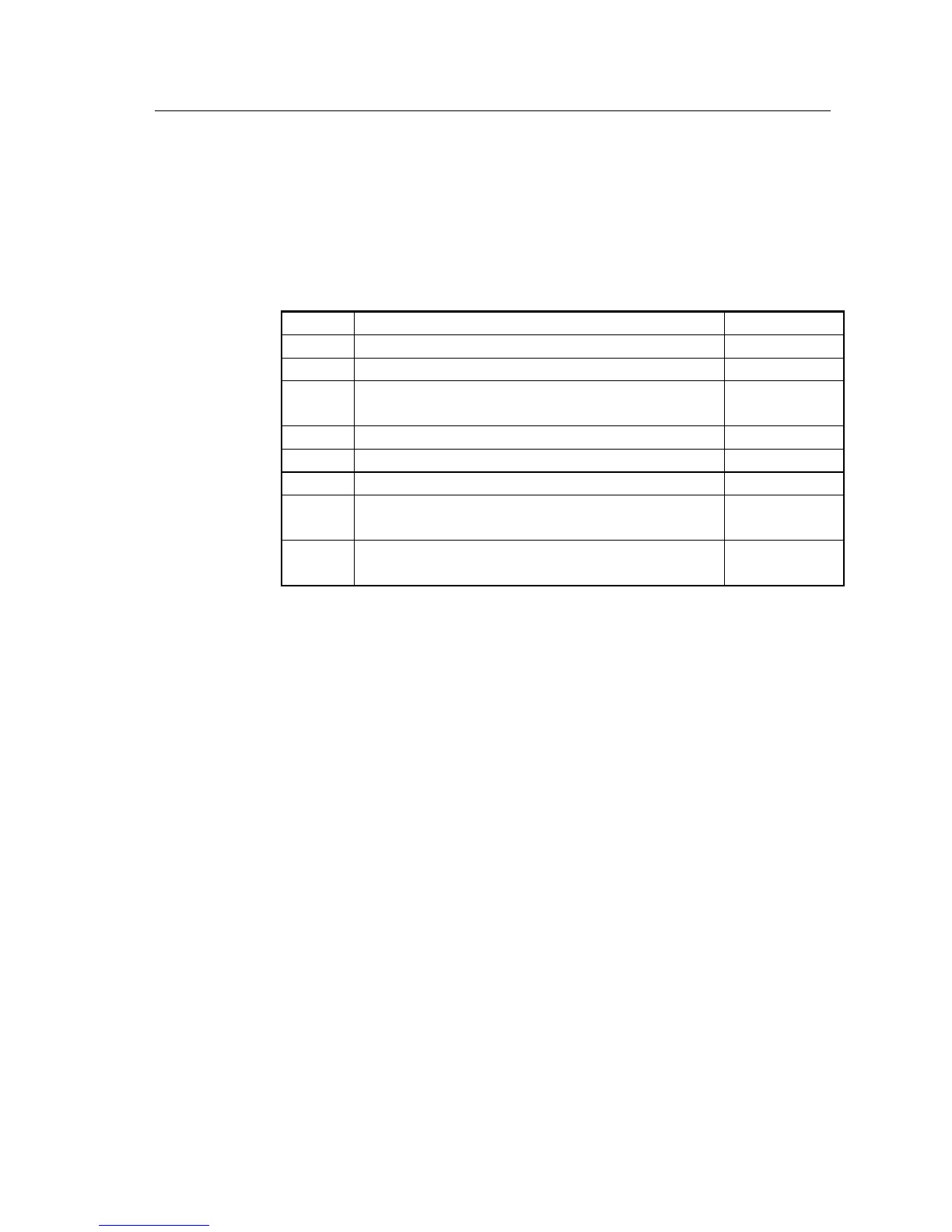
4.10.1 Check electrical connections
After electric connection, it’s required to check below items for electric connection results
following below instructions in below list.
Table 4.10-1 electric connection results examination
Check if the color of AC input cable is correct
Confirm if the wiring in the cabinet are not loose
Check if the input switching unit’s safety precaution marks are
complete
Check if the cable connect bars are firm
Check if the polarity and sequence of battery cables are correct.
Check if the cable marks are correct
Check if the wiring is trim and the cable colligation comply with
technics criterion
Check the device installation and wiring is propitious to future
modification, capacity expand and maintenance
4.10.2 UPS testing
Test UPS: disconnect bypass switch or main source input switch, and then simulating main source failure is
allowed. Upon main source failure, main source “LINE” LED light black out and the buzzer will alarm 3
times every 10 seconds.
4.10.3 Connect with the load
Only after UPS starts and is stably working, then open the load device; first start high-power
devices, then start small power equipment. Some devices has large current upon starting which
may cause overload protection (or bypass operation). It is better to start such equipment before
the other devices.


 To Next Page