page 9
ENG
PS05 power supply for charging
Warning
Before tting the mains plug to the device, select the plug
type appropriate to the country of use (see chapter Main
Power Supply Unit Characteristics for the PS10BSA).
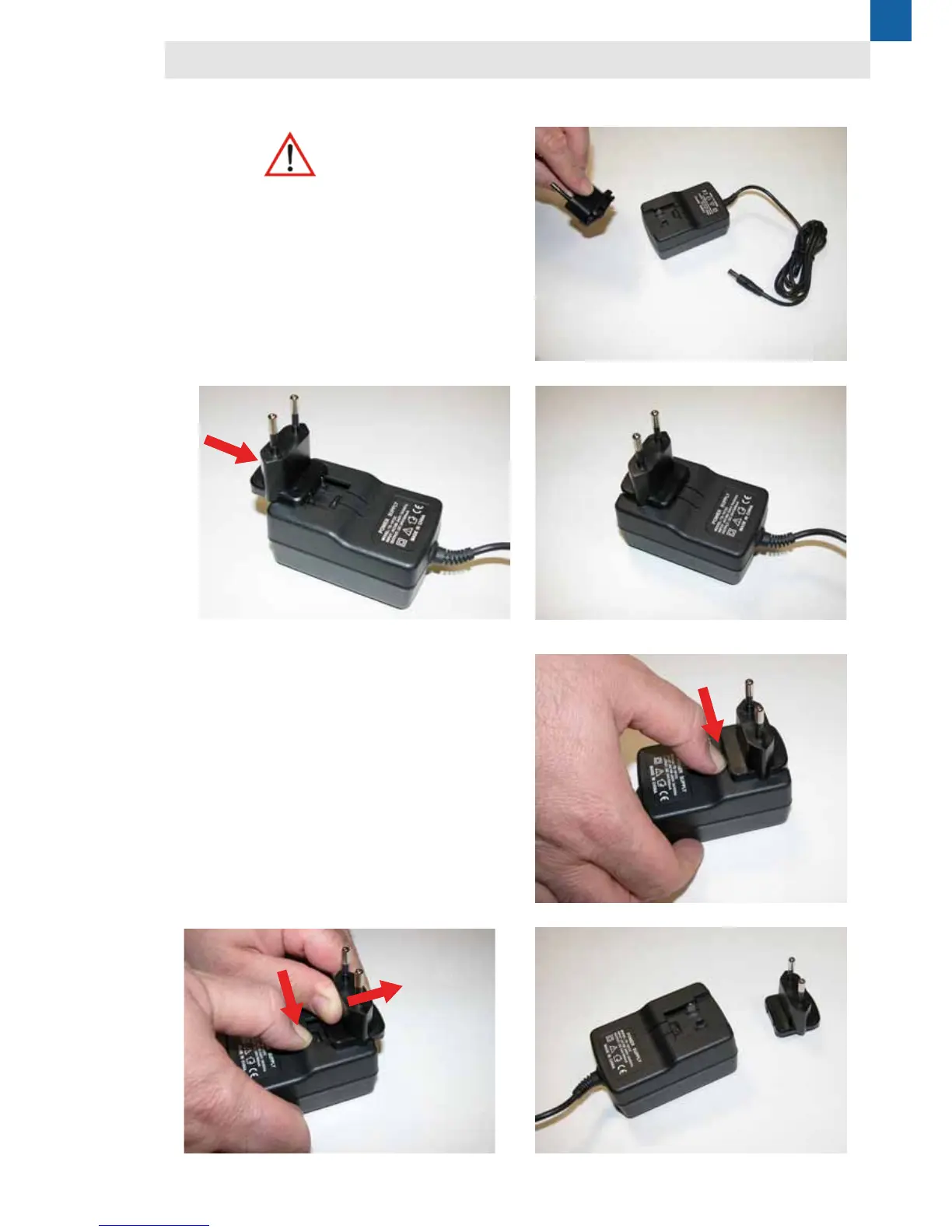
1 - Fully insert the selected plug in the housing of the
power supply unit until it clicks into position (photo 1, 2
and 3).
2 - Press the plug locking tab (photo 4)
3 - Keeping the tab pressed, push the plug outwards
(photo 5) until it completely separates (photo 6).
photo 1
photo 4
photo 2
photo 5
photo 3
photo 6
Removing the plug
Fitting the plug


 To Next Page