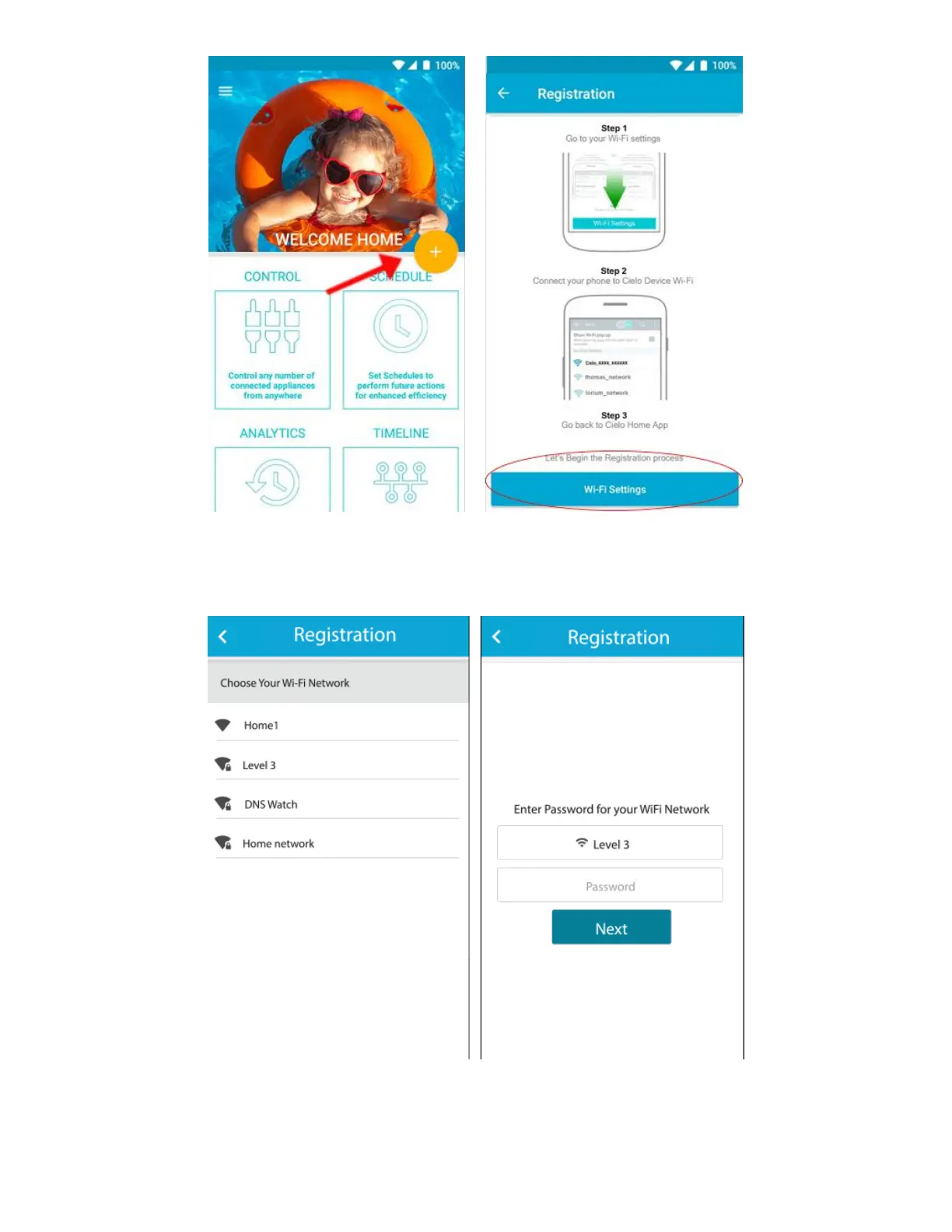
• Next, go back to Cielo Home App.
• Select your home Wi-Fi Network from the list.
• Enter the password of your home Wi-Fi Network.
• On the next screen, type device name of your choice.
• Next, carefully select "manufacturer" and "remote model number" from respective drop down list. (The
remote model number is usually found at the back of remote controller.)



 To Next Page