- 25 -
Upload the project from removable disk to Xpanel
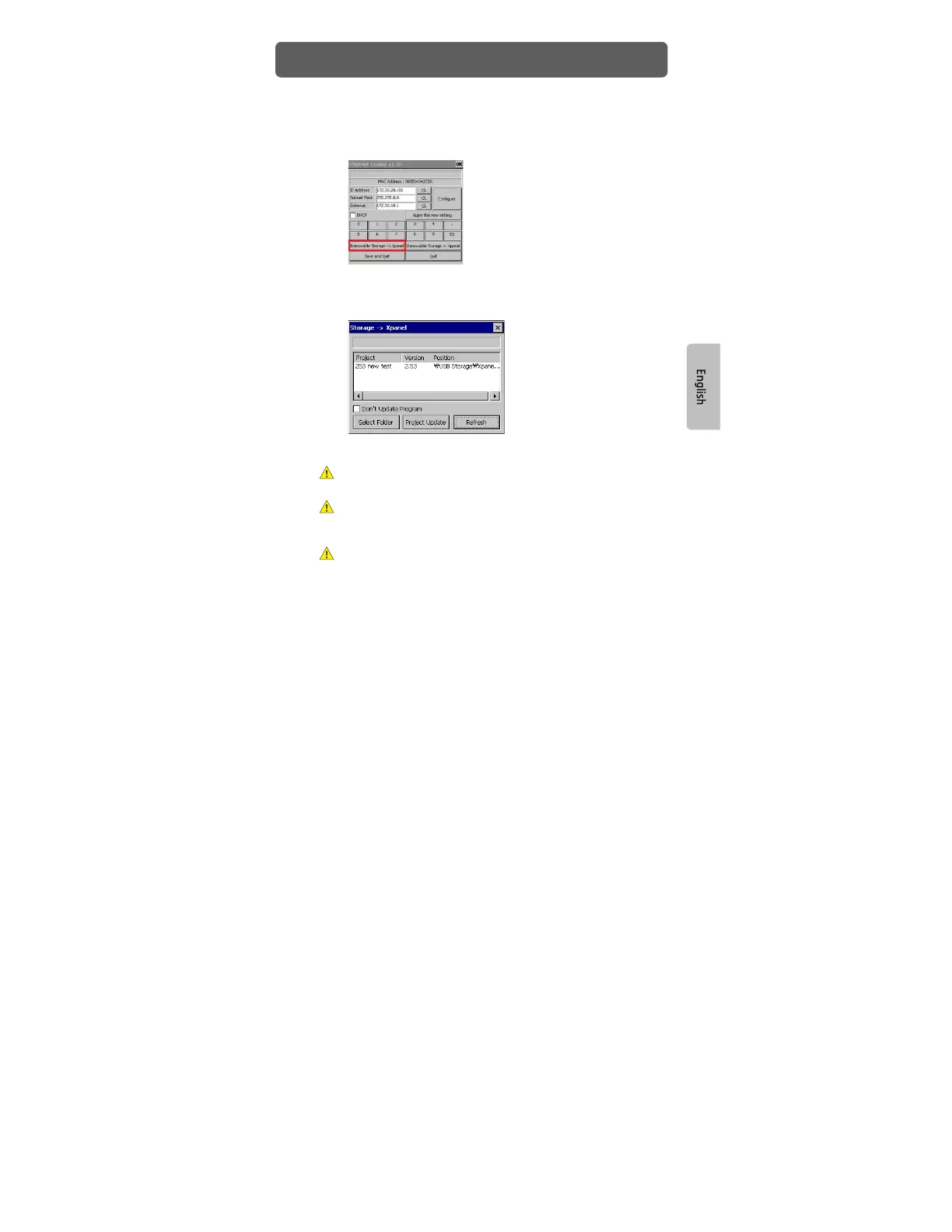
1) Connect the removable disk that has the updated project to Xpanel. Select
[Removable Storage → Xpanel] in the Ethernet Loader dialog box.
2) Select [Refresh] and you will see projects in removable disk that can be
uploaded.
3) Click a project to update on the list and select [Project Update].
When you select [Project Update], the project and application program in the
Hybrid Xpanel will be deleted first.
[Project Update] button will be deactivated when the procedure starts and
reactivated when update is complete. “All file update: OK” message will appear
when update is completed.
Do not touch the panel during update as it could cause incorrect operation.
Project Download


 To Next Page