- 24 -
Download by Removable Disk
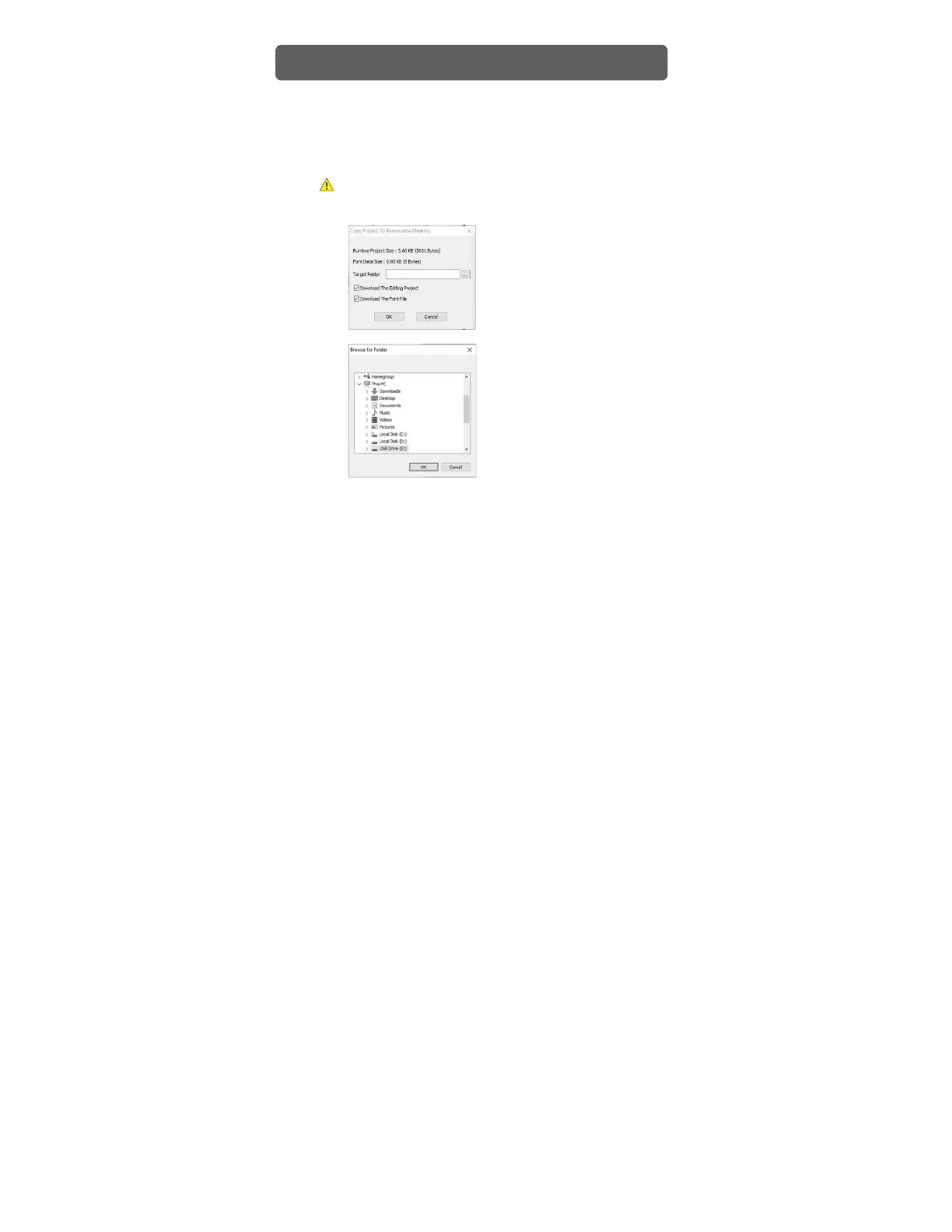
1) Connect a removable disk on the PC and run Xpanel Designer.
2) Go to [Online] – [Copy project to removable memory], and input or select the
directory where you want to save the project. If you wish to download the
data to be uploaded as well, select [Download the Editing project].
Make sure to specify the disk’s directory when you save the project.
Project Download


 To Next Page