3.6 Switching On
Key Press Display
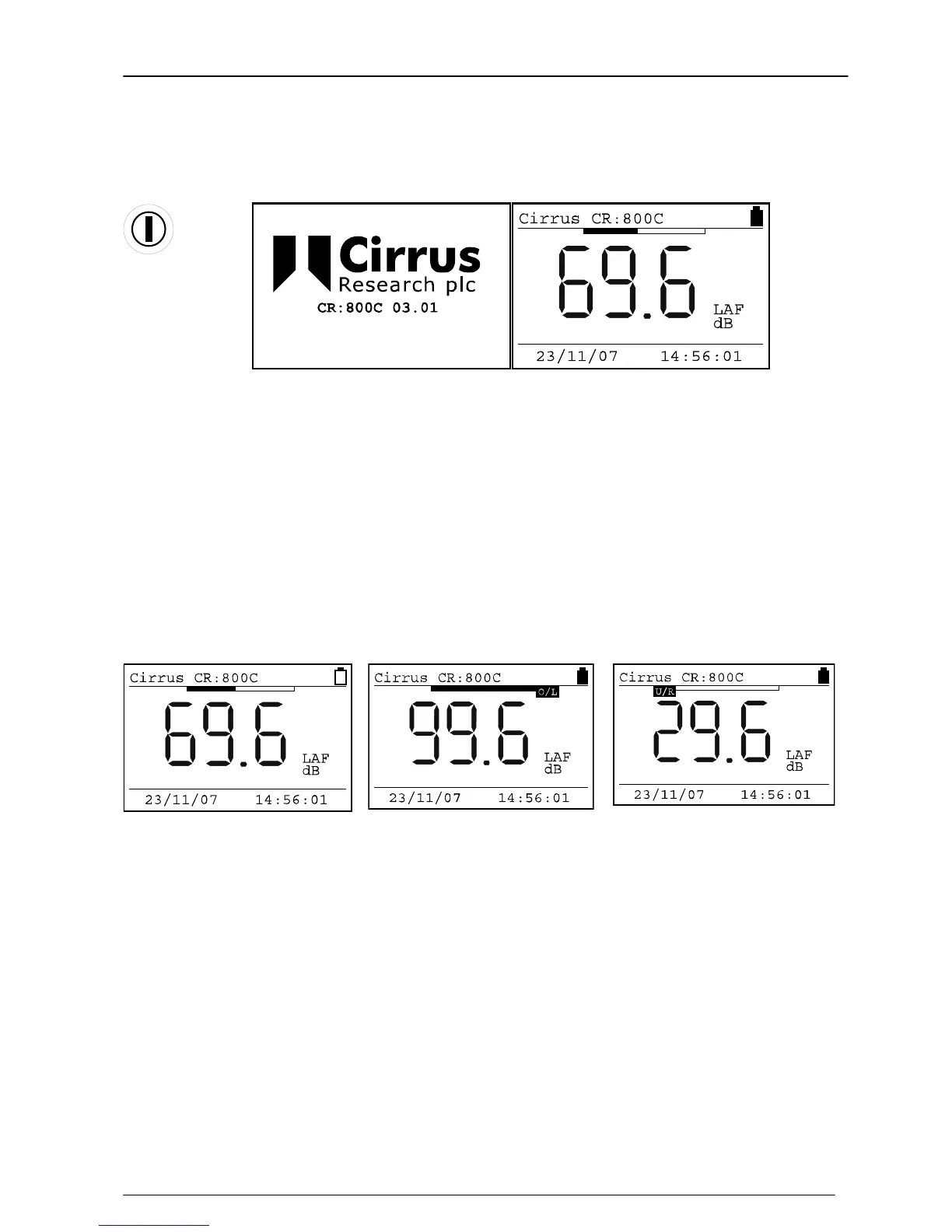
When the instrument is first switched on, a Welcome screen is shown with the
instrument type and version number. After 3 seconds, the display will change and the
current Sound Level will be shown with the current configuration shown as above.
In this example, the instrument is showing the Fast A-Weighted Sound Level with the
current date and time shown at the bottom of the screen. The battery level is shown in
the top right hand corner of the display.
Across the top of the display, above the numbers, is shown the sound level as a bar
graph. This graph is scaled with the current measurement range.
The display will also show when the instrument is in Overload or Under Range. The
Glossary on page 55 also describes the indication of Overload and Under Range.
Low Battery Level Overload Under Range


 To Next Page
 Loading...