3.2 Quick Start
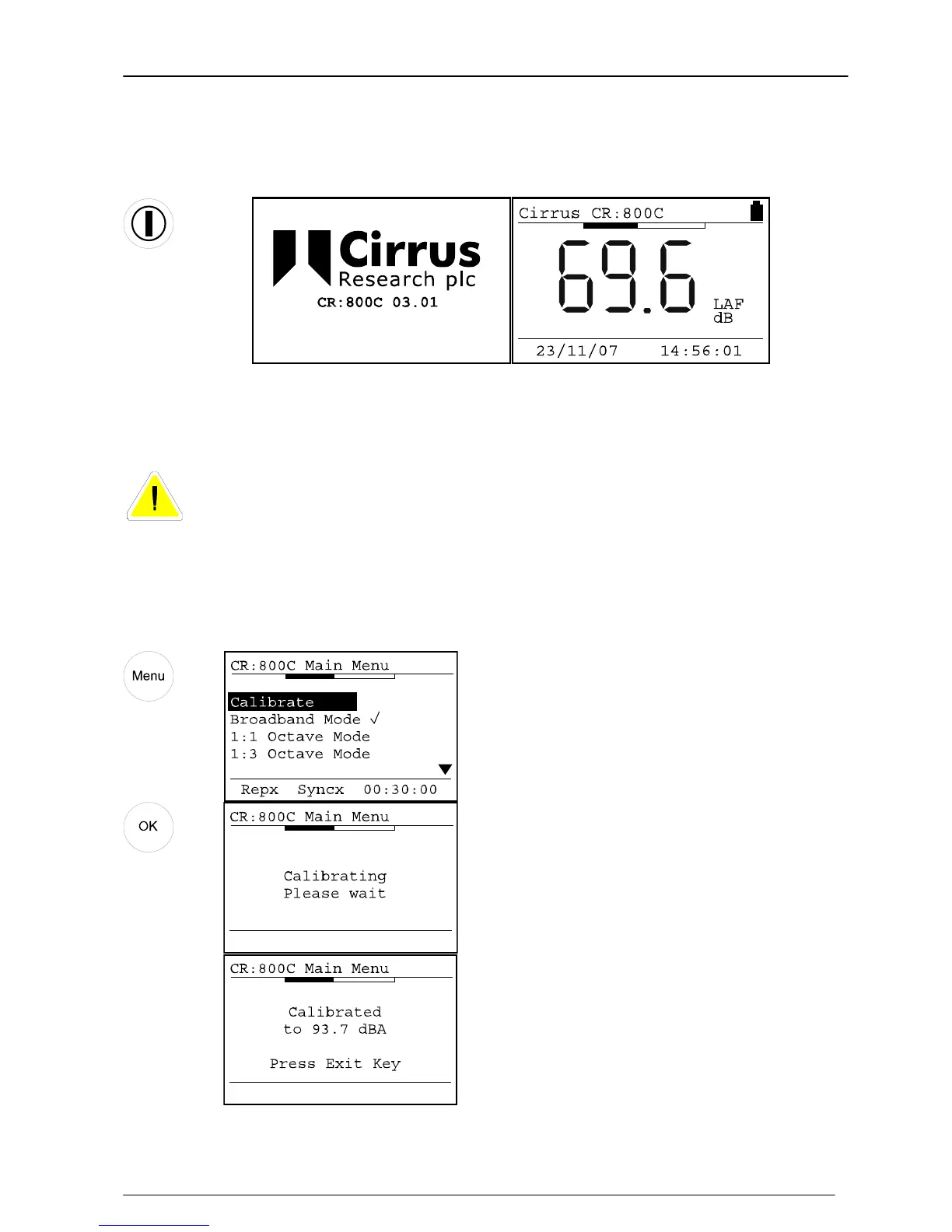
Switch on
Key Press Display
When the instrument has switched on, the start-up screen will change to the standard
noise level display.
Calibrate the Sound Level Meter
If a microphone extension cable is to be used during a measurement, the
instrument must be calibrated with the cable attached.
Connect the Acoustic Calibrator to the Sound Level Meter and select the 94dB setting
on the Acoustic Calibrator. Press the Menu key to select the Calibrate option and press
OK to start the calibration procedure.
Key Press Display

 To Next Page
 Loading...