CR:800C Series Sound Level Meter User Manual
Page 43
5 Viewing and Downloading the measurements
When a measurement stops, either by the user pressing the Stop key or when a
measurement stops automatically, the data is automatically stored in the memory.
5.1 Recalling Stored Measurements
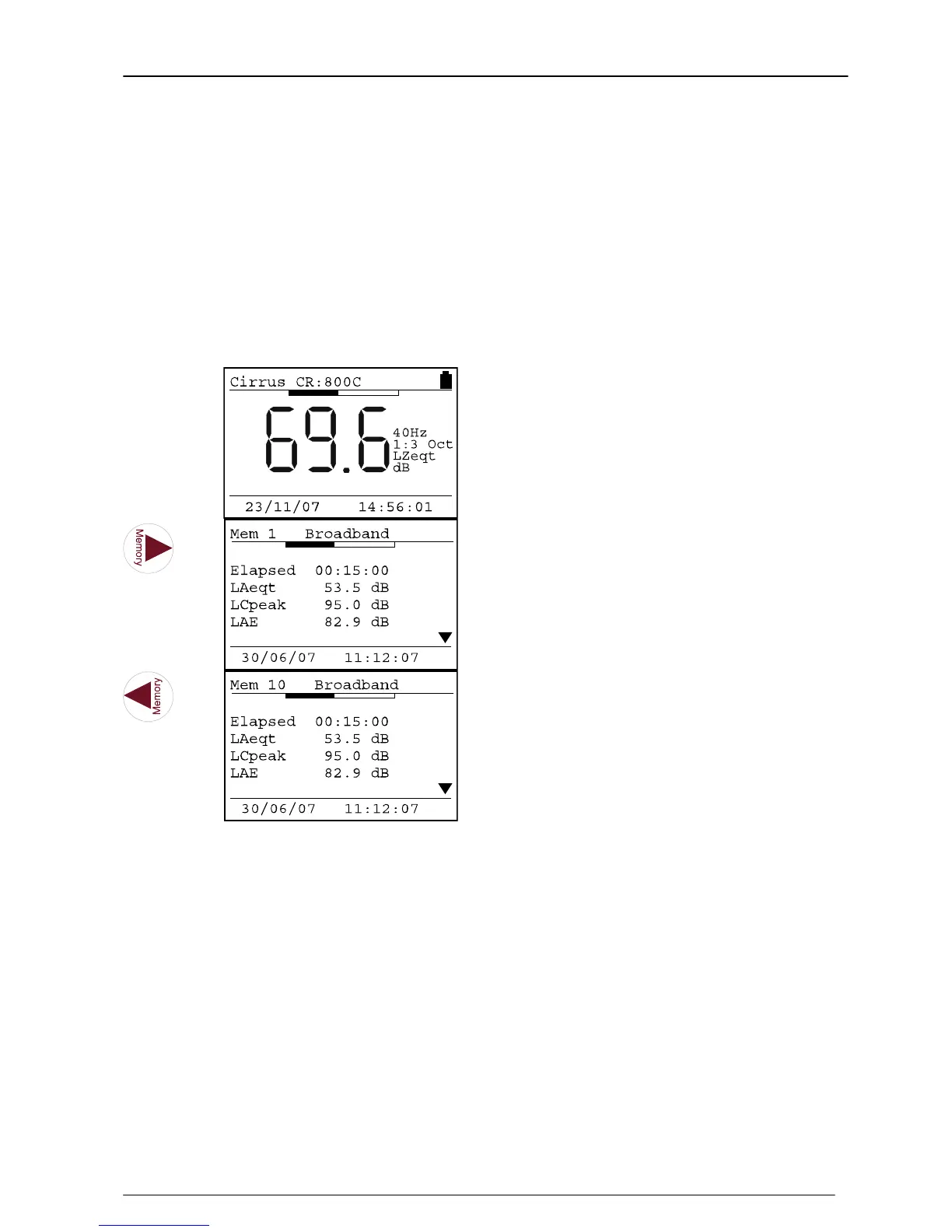
To view stored measurements, ensure that the instrument is not running. Press the
right hand arrow key to view the first stored measurement and the left hand arrow key
to view the last measurement stored.
Key Press Display
Comments
The first measurement stored is
shown.
The parameters displayed depend
upon the measurement type.
The last measurement stored is
shown.
The parameters displayed depend
upon the measurement type.
The measurement type is shown at the top of the screen next to the measurement
number. The different measurement types have different parameters that are displayed
and these are described below


 To Next Page
 Loading...