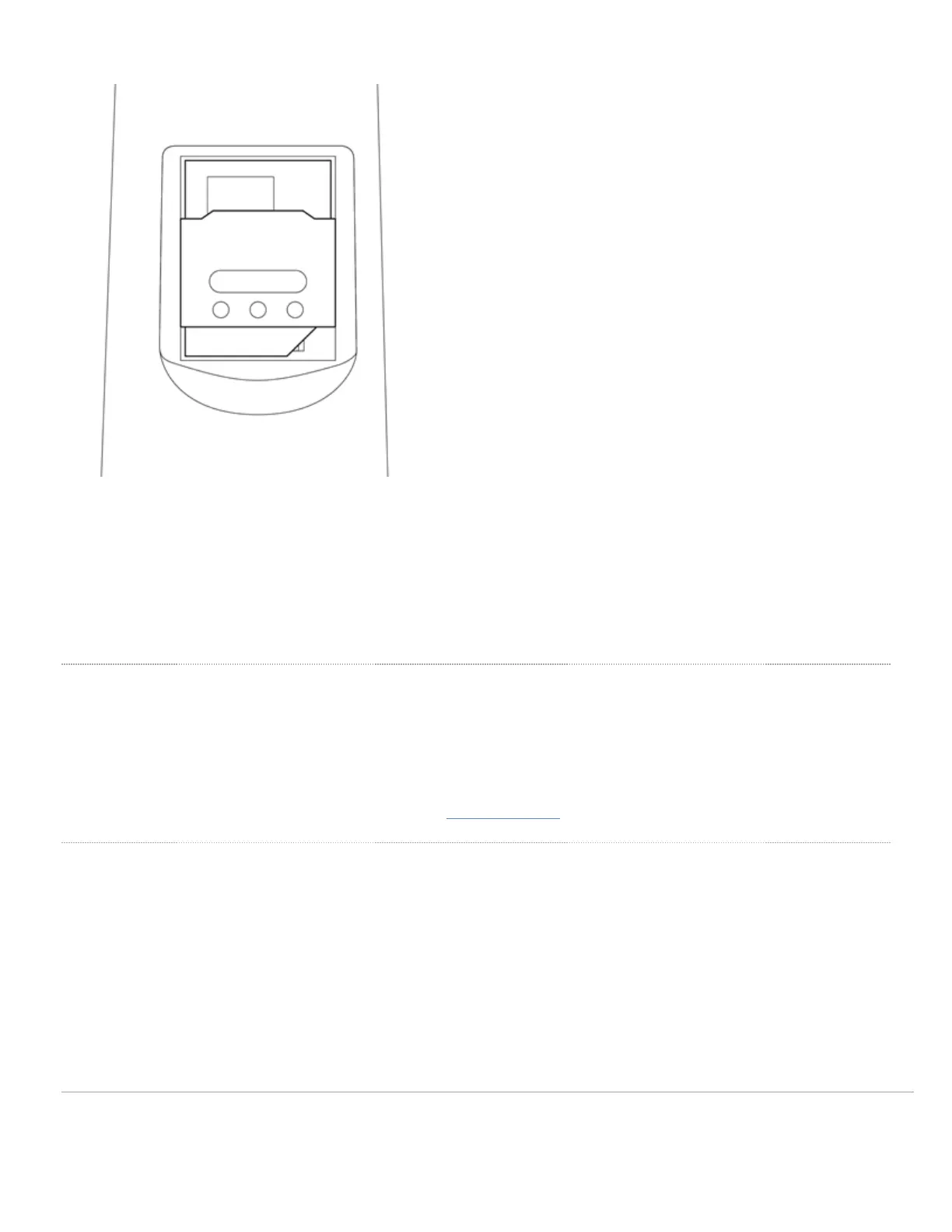
8. Put the SIM gasket (that was set aside at the beginning) back in the original position. The SIM card installation is
now complete.
WARNING: To ensure the IP67 rating during usage and operation of the MG, ensure the gaskets are in properly
aligned and the backplate is securely screwed down with the gaskets in place.
Connecting to WAN
All Meraki MG devices must have an IP address. This section describes how to configure the WAN interface before you
deploy it. A local management web service running on the appliance is accessed through a browser running on a client
PC. This web service is used for configuring and monitoring basic ISP/WAN connectivity.
Note: All the settings below are accessible only via the local status page.
Setting up Cellular Connection
Warning: To ensure that the client PC is redirected to the local web service in the following steps, you must disable all
other network services (ex: wi-fi) on your client machine.
Follow the steps below to configure basic connectivity and other cellular gateway parameters on the MG21:
1. Using a client machine such as a laptop, connect cirectly to LAN interface of the MG.
2. Find the client's IP address and default gateway. Using a browser on the client machine, access the appliance's
built-in web service by browsing to mg.meraki.com or the default gateway IP (You do not have to be connected to
14


 To Next Page