EasyManua.ls Logo

Cisco MERAKI MR18 - User Manual

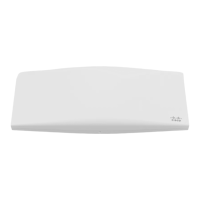
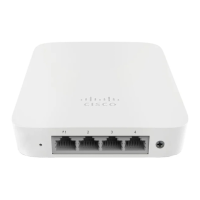
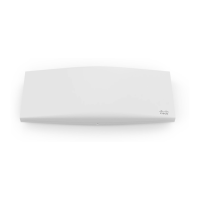
Cisco MERAKI MR18
25 pages
Print Icon
To Next Page IconTo Next Page
Loading...
Meraki MR18
Hardware Installation Guide
Question and Answer IconNeed help?

Do you have a question about the Cisco MERAKI MR18 and is the answer not in the manual?

Summary

Pre-Install Preparation

Configure Your Network in Dashboard

Guides through setting up the MR18 in the Meraki Cloud Controller dashboard.

Check and Upgrade Firmware

Recommends checking and upgrading firmware before mounting the MR18.

Assigning IP Addresses to MR18 s

Explains how to assign routable IP addresses to MR18 gateway units.

Installation Instructions

Choose Your Mounting Location

Provides guidelines for selecting an optimal mounting location for the MR18.

Attach the Mount Plate

Explains how to attach the mounting plate to the installation surface.

Power the MR18

Details the methods for powering the MR18 access point.

Secure the MR18

Troubleshooting

Summary

Pre-Install Preparation

Configure Your Network in Dashboard

Guides through setting up the MR18 in the Meraki Cloud Controller dashboard.

Check and Upgrade Firmware

Recommends checking and upgrading firmware before mounting the MR18.

Assigning IP Addresses to MR18 s

Explains how to assign routable IP addresses to MR18 gateway units.

Installation Instructions

Choose Your Mounting Location

Provides guidelines for selecting an optimal mounting location for the MR18.

Attach the Mount Plate

Explains how to attach the mounting plate to the installation surface.

Power the MR18

Details the methods for powering the MR18 access point.

Secure the MR18

Troubleshooting

Cisco MERAKI MR18 Specifications

General IconGeneral
ModelMR18
CategoryWireless Access Point
Wi-Fi Standards802.11a/b/g/n
Frequency Bands2.4 GHz and 5 GHz
Maximum Data Rate600 Mbps
Antenna TypeInternal
Operating Temperature0°C to 40°C
MIMO2x2
Ethernet Ports1 x 10/100/1000BASE-T Ethernet (RJ45)
Power over Ethernet (PoE)802.3af
Antenna Gain2.4 GHz: 3 dBi, 5 GHz: 4 dBi
MountingWall or Ceiling
Weight14 oz (0.4 kg)

Related product manuals