Resetting Cisco Meraki Devices to Factory Defaults
Cisco Meraki devices can be reset to factory defaults using the reset button on the device. This requires a paper clip or object with a long thin tip. Insert the tip of
the paper clip into the reset button, press, and hold for 10-15 seconds, or until the power light goes out, which ever occurs first. This will reset the device to
factory defaults and reboot. If a static IP address was configured for the device, it will need to be configured again using the local status page.
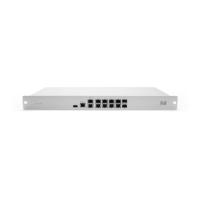
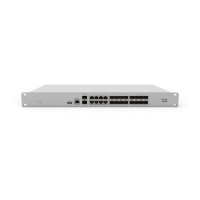
Rack-Mounted Security Appliance
To reset a rack-mounted appliance security appliance to the factory defaults, press the button labeled 'Reset' on the front panel of the appliance for 10-15
seconds. This will clear the static IP address settings, DHCP lease pool, and local configuration of the device. Please be aware that after resetting the unit, the
device will need to download its latest configuration from Dashboard. Please be patient as this could take up to 5 - 10 minutes.
To reconfigure a static IP address on an MX Security Appliance, please follow the instructions on the following link: Static IP address on an MX Appliance
Compact MX Security Appliance and Z-Series Teleworker Gateway
To reset a compact (non-rack-mounted) MX Security Appliance or Z-Series Teleworker Gateway to the factory defaults, press the button labeled 'Reset' on the
back panel of the appliance for 10-15 seconds. This will clear the static IP address settings, DHCP lease pool, and local configuration of the device. Please be
Resetting a Meraki appliance to factory defaults will clear the local configuration stored on that appliance. This will clear any statically assigned IP
address information, Ethernet configuration, DHCP lease pool, and web proxy settings.
If a device is still in a network after being factory reset, it will redownload its previous configuration when it comes back online. If the configuration
needs to be completely reset, make sure to remove the device from its network before resetting to factory defaults.
1

 Need help?
 General

 To Next Page