4
3 Unpacking
Follow these steps:
Step 1 Unpack and remove the access point and the accessory kit from the shipping box.
Step 2 Return any packing material to the shipping container and save it for future use.
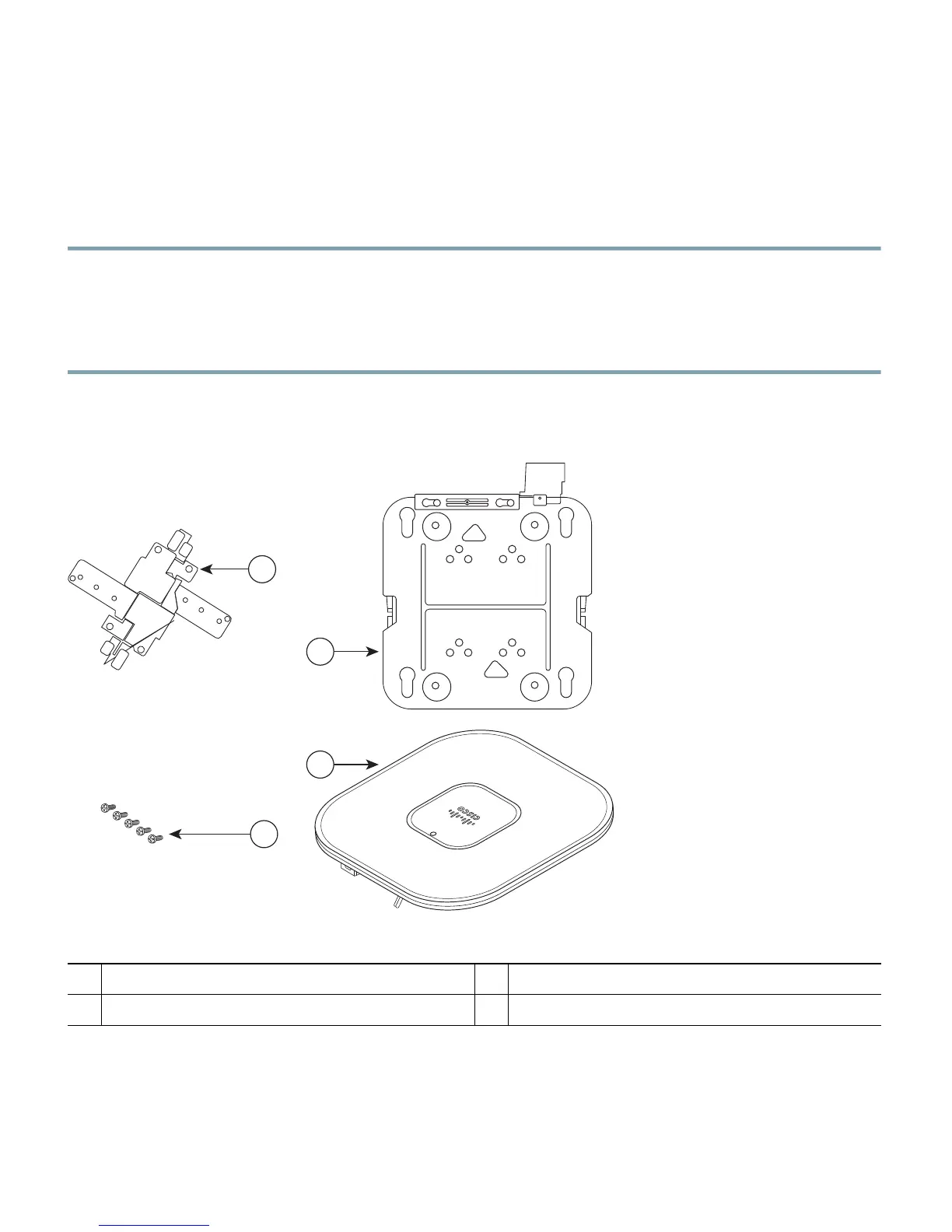
Step 3 Verify that you have received the items shown in Figure 1. If any item is missing or damaged,
contact your Cisco representative or reseller for instructions.
Figure 1 Shipping Box Contents
1
Standard ceiling adjustable T-rail clip
3
1140 series access point
2
Mounting bracket
4
6-32 x 1/4 in. (0.63 cm) flat head screws


 To Next Page
 Loading...