

 To Next Page
H
Holly EricksonAug 1, 2025
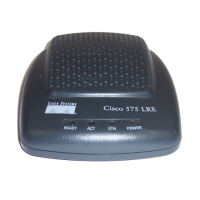
Why is the ETH LED not turned on on my Cisco Network Accessory?
- TThomas TurnerAug 1, 2025
If the ETH LED on your Cisco Network Accessory isn't on, it could be due to several reasons. First, ensure the Ethernet cable is properly connected to both the CPE and your PC or laptop; if it's loose, reconnect it. If the connection is secure, the CPE might not be communicating with the Ethernet card in your computer; try rebooting your PC or laptop. Finally, the Ethernet cable itself could be incorrect or defective. Make sure you're using the correct straight-through cable, not a crossover cable, and if necessary, replace it with a tested, working cable.
 General