B-3
Cisco 575 LRE CPE Hardware Installation Guide
78-11469-01
Appendix B Connector and Cable Specifications
Cable Specifications
PHONE Port
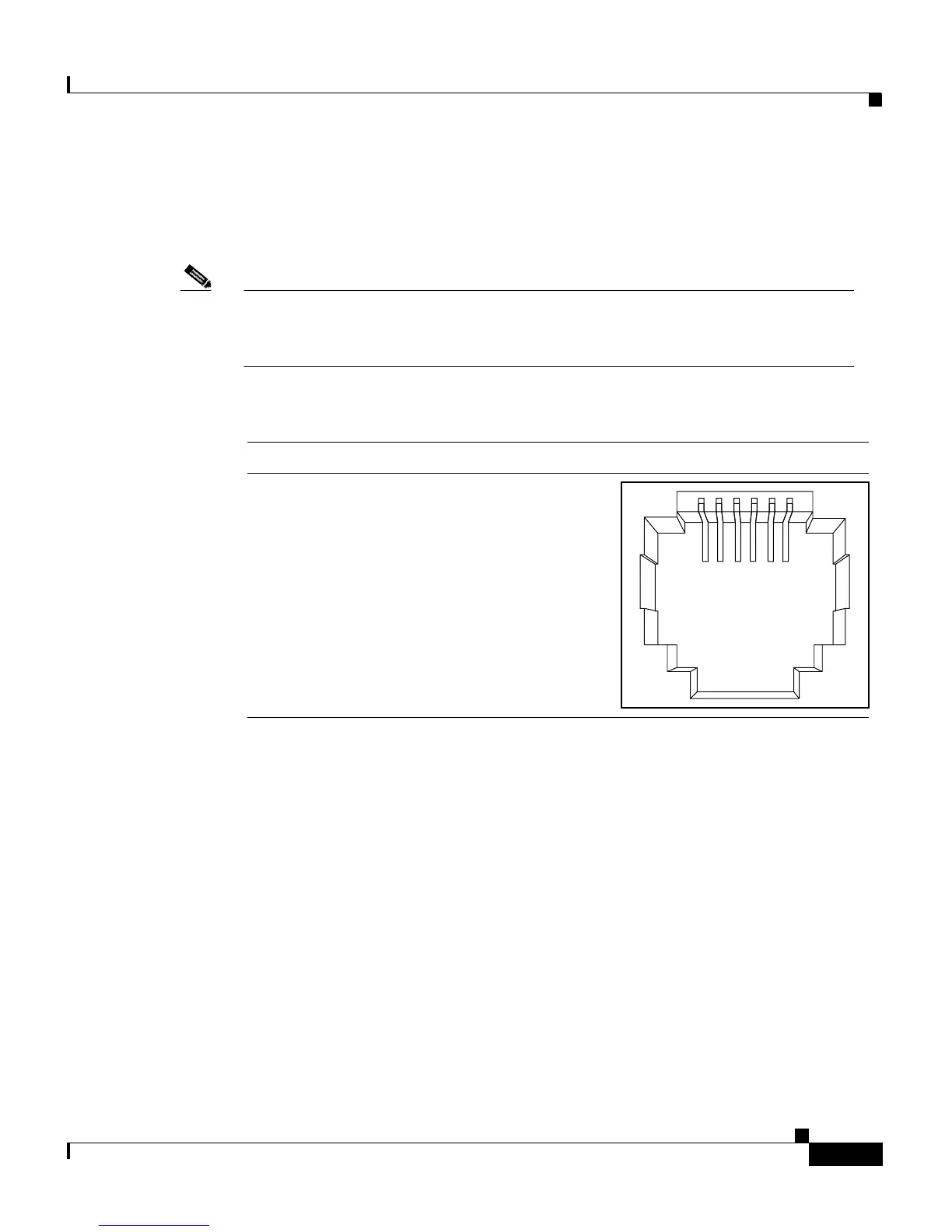
The PHONE port uses an RJ-11 connector. See Figure B-4 for the pinouts.
Note Pins 1, 2, 5, and 6 on the wall port are connected internally to the
corresponding pins of the phone port. This allows a second and third phone
pair to pass through the CPE without affecting the LRE connection.
Figure B-4 RJ-11 PHONE Port Connector Pinouts
Cable Specifications
Straight-Through Cable Pinouts
The schematics of the straight-through cable are shown in Figure B-5.
123456
517
1
2
5
6
123456Pin Label
1
2
3
4
5
6
Pass-through 1
Pass-through 2
Phone tip
Phone ring
Pass-through 5
Pass-through 6


 To Next Page