Front Panel Descriptions
5
Cisco Communication Media Module for Catalyst 6500 Series Switch and Cisco 7600 Series Router Installation and Verification Note
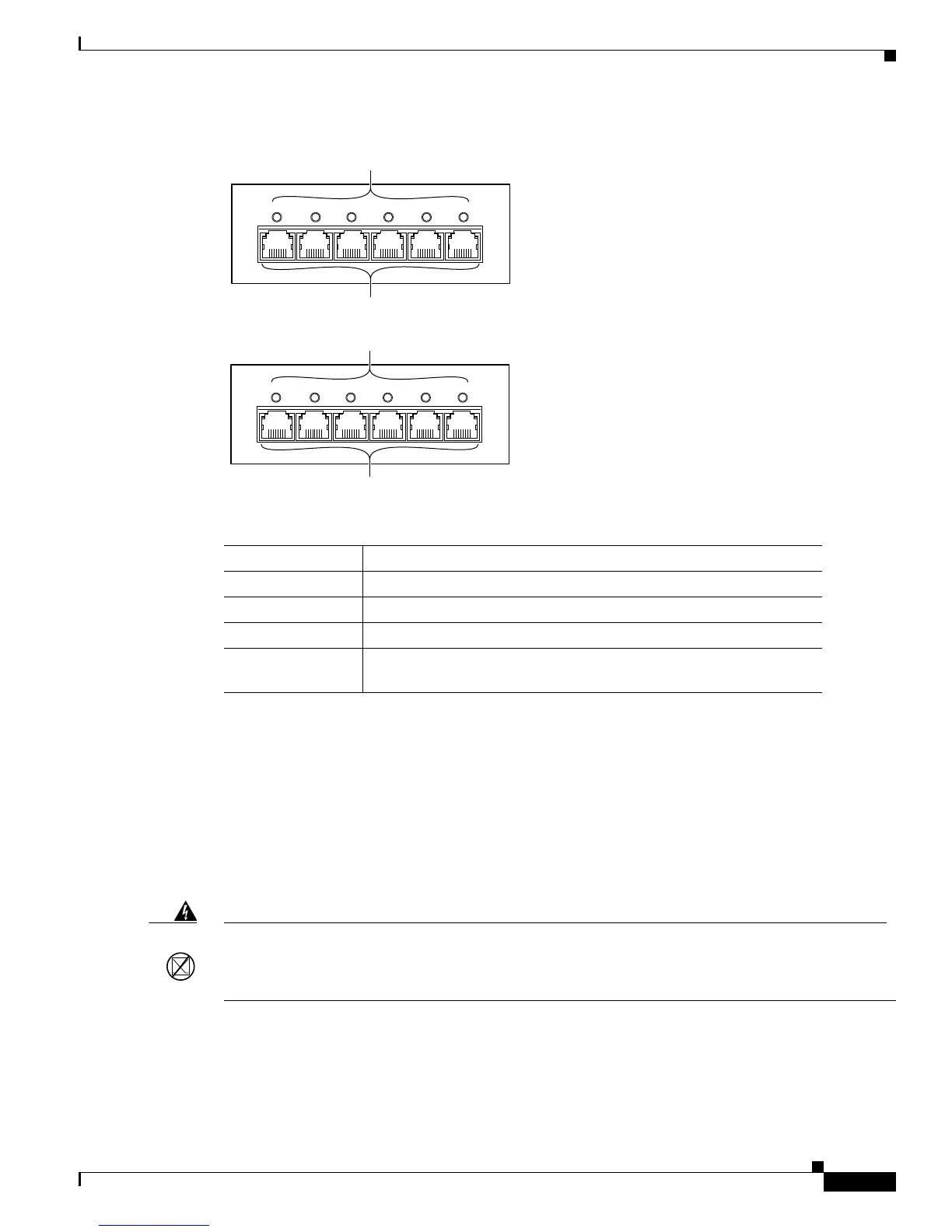
Figure 2 6-Port T1 and E1 Port Adapter Front Panel Features
24-Port FXS Port Adapter
The front panel features of the 24-port FXS port adapter are as follows:
• Receive port LEDs—The LEDs on the front panel indicate the status of each FXS interface. Table 4
describes the receive port LED operation.
• RJ-21 connector—See the “RJ-21 Port Connector and Cabling Specifications” section on page 27
for details.
Figure 3 shows the front panel of the 24-port FXS port adapter.
Table 3 6-Port T1 and E1 Port Adapters Receive Port LEDs
Color Description
Green T1/E1 interface is operational.
Red T1/E1 receive alarm.
Yellow T1/E1 remote alarm.
Off T1/E1 interface has been administratively shut down, or there is no
power.
0
WS-SVC-CMM-6T1
12 3 4 5
6-Port T1 Interface Port Adapter
RJ-45 connectors
Receive port LEDs
68448
0
WS-SVC-CMM-6E1
12 3 4 5
6-Port E1 Interface Port Adapter
RJ-45 connectors
Receive port LEDs
68449
Warning
If the symbol of suitability with an overlaid cross appears above a port, you must not connect the
port to a public network that follows the European Union standards. Connecting the port to this type
of public network can cause severe personal injury or can damage the unit.
Statement 1031





 To Next Page