7
Access Point Mounting Instructions
OL-166451-01
Mounting an Access Point on a Hard Ceiling or a Wall
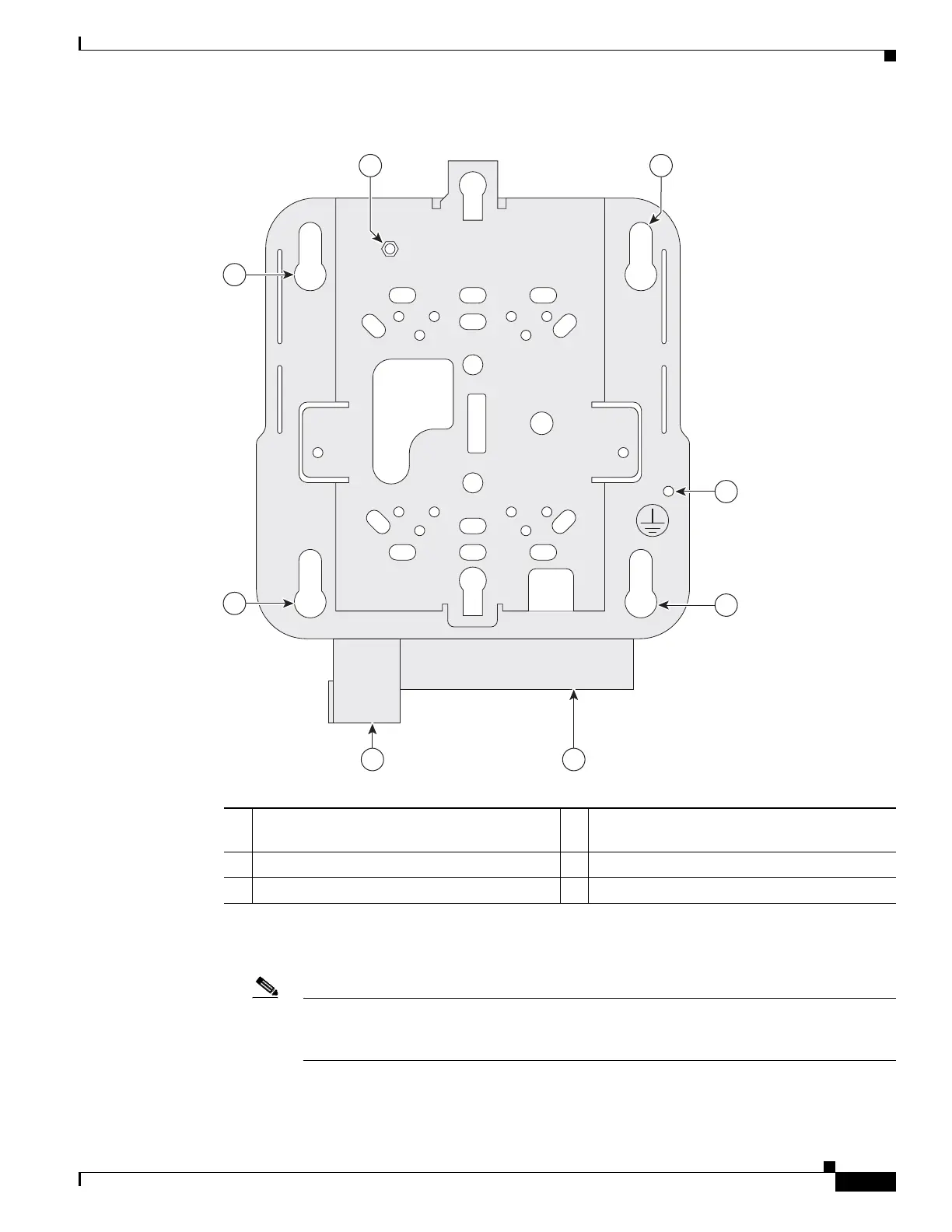
Figure 7 Universal Mounting Bracket Details
Step 2
Use a #29 drill (0.1360-in. [3.4772 mm]) bit to drill a pilot hole at the mounting hole locations you
marked.
Note The pilot hole size varies according to the material and thickness you are fastening. Cisco
recommends that you test the material to determine the ideal hole size for your mounting
application.
Step 3 (Optional) Drill or cut a cable access hole near and below the location of the mounting bracket cable
access cover large enough for the Ethernet cable, building ground wire, and power cables.
1
Bracket locking post (used when attaching the
bracket to a previously mounted bracket) 4
Cable access cover
2 Access point mounting keyholes 5 Security hasp
3 Grounding post
3
2
2
2
45
21
207612


 To Next Page