12
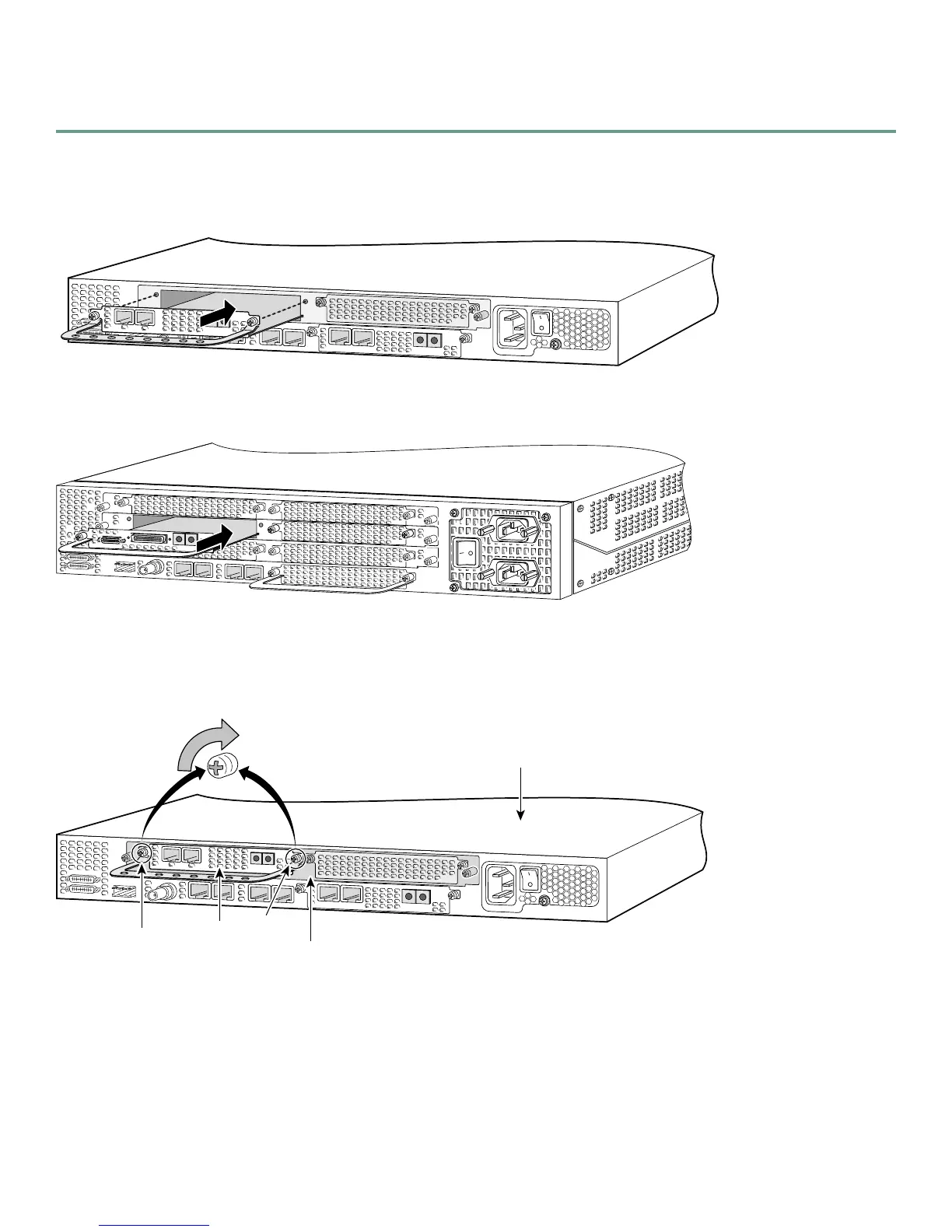
To install a DFC, follow these steps:
Step 1 Attach an ESD-preventive wrist strap.
Step 2 Slide the DFC into the slot until the connector pins make contact with the carrier card backplane connector.
Installing a DFC in a Cisco AS5350
Installing a DFC in a Cisco AS5400
Step 3 Align the captive screws with their holes, and seat the card completely.
Step 4 Tighten the screws to secure the DFC to the chassis.
Tighten the Captive Screws on the Cisco AS5350
36816
0
Rx
ACT
2 PRI
OK
Tx
1
37165
36817
0
Rx
ACT
2 PRI
OK
Tx
1
Carrier
card
DFC
Captive
screw
Captive
screw
Chassis













 To Next Page