8
Step 3 Peel the rubber feet off the black adhesive strip and place them adhesive-side down at each corner of the underside of
the chassis.
Step 4 Place the universal gateway top-side up on a flat, smooth, secure surface.
Caution Do not place anything on top of the universal gateway that weighs more than 10 lb (4.5 kg). Excessive weight on
top could damage the chassis.
Chassis Ground Connection
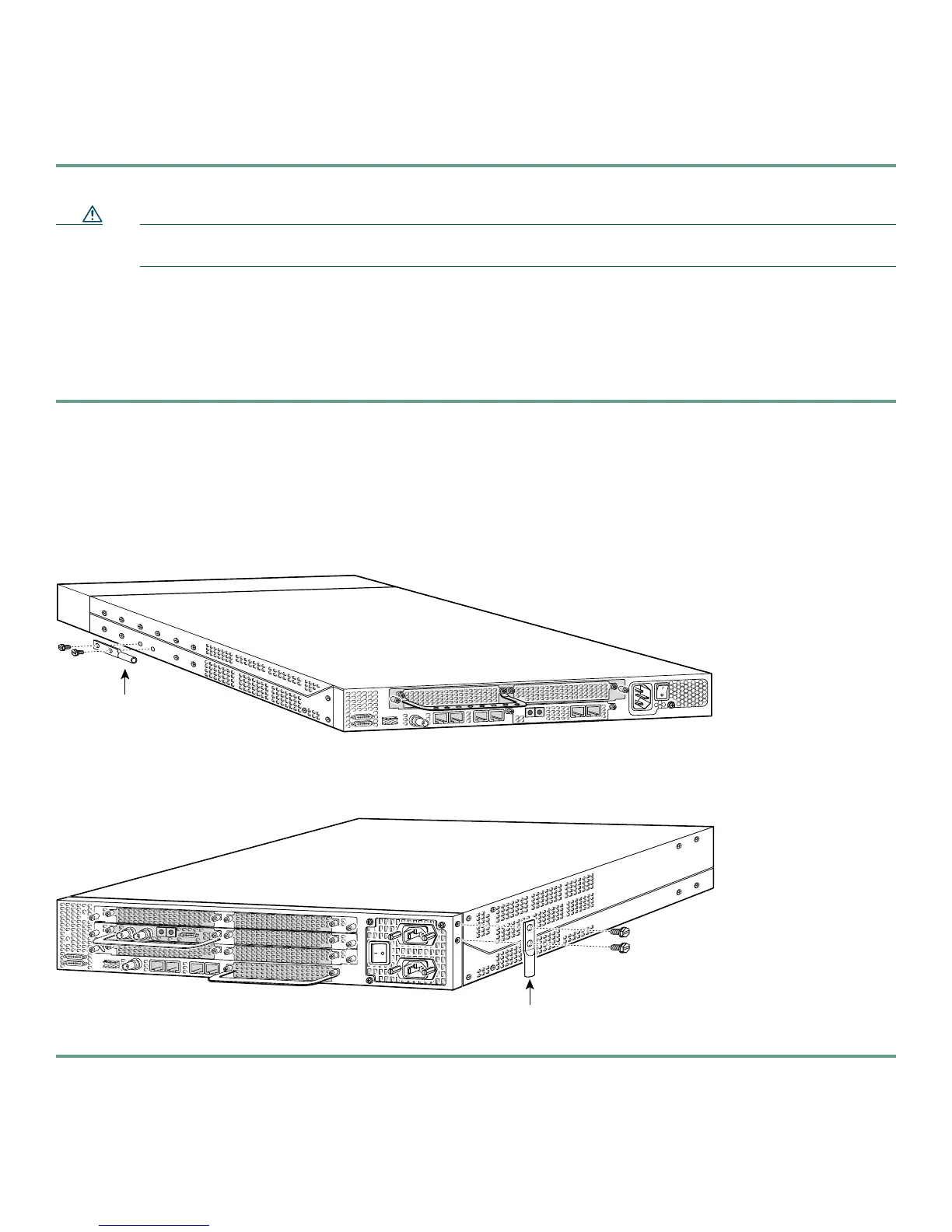
You must connect the chassis to a reliable earth ground using the ground lug (provided) and size AWG 6 (13 mm2) wire.
To attach the chassis ground, take the following steps:
Step 1 Strip one end of the ground wire to expose approximately 0.75 in. (20 mm) of conductor.
Step 2 Crimp the ground wire to the ground lug, using a crimp tool of the appropriate size.
Step 3 Attach the ground lug to the chassis. Use a medium flat-blade screwdriver and the screws supplied with the ground lug.
Tighten the screws to a torque of 8 to 10 in-lb (0.9 to 1.1 N-m).
Step 4 Connect the other end of the ground wire to a suitable grounding point at your site.
Cisco AS5350 Ground Lug Attachment
Cisco AS5400 Ground Lug Attachment
82735
Ground lug
attachment
82734
Ground lug
attachment













 To Next Page