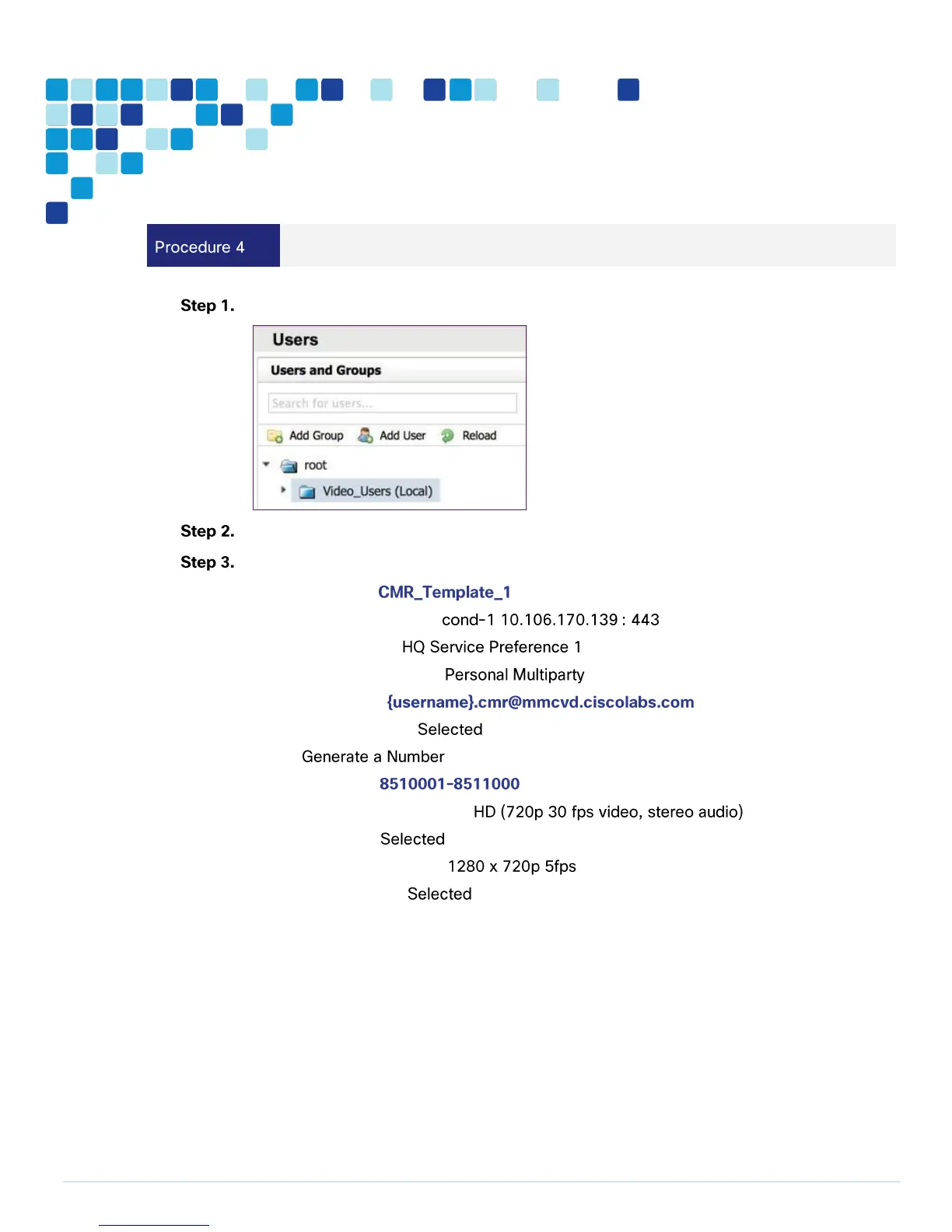
Navigate to Systems > Provisioning > Users and click on Video_Users (Local).
Under Collaboration Meeting Room Templates, click New Template.
Enter the following into the relevant fields, leaving the other fields at their default values:
Template Name—
TelePresence Conductor—
Service Preference—
Multiparty License Mode –
SIP Alias Pattern—
Numeric Alias Pattern—
Type—
Number Ranges—
Maximum Conference Quality—
Content Sharing—
Maximum Content Quality—
Optimize Resources—



 To Next Page