4
Plan the Installation
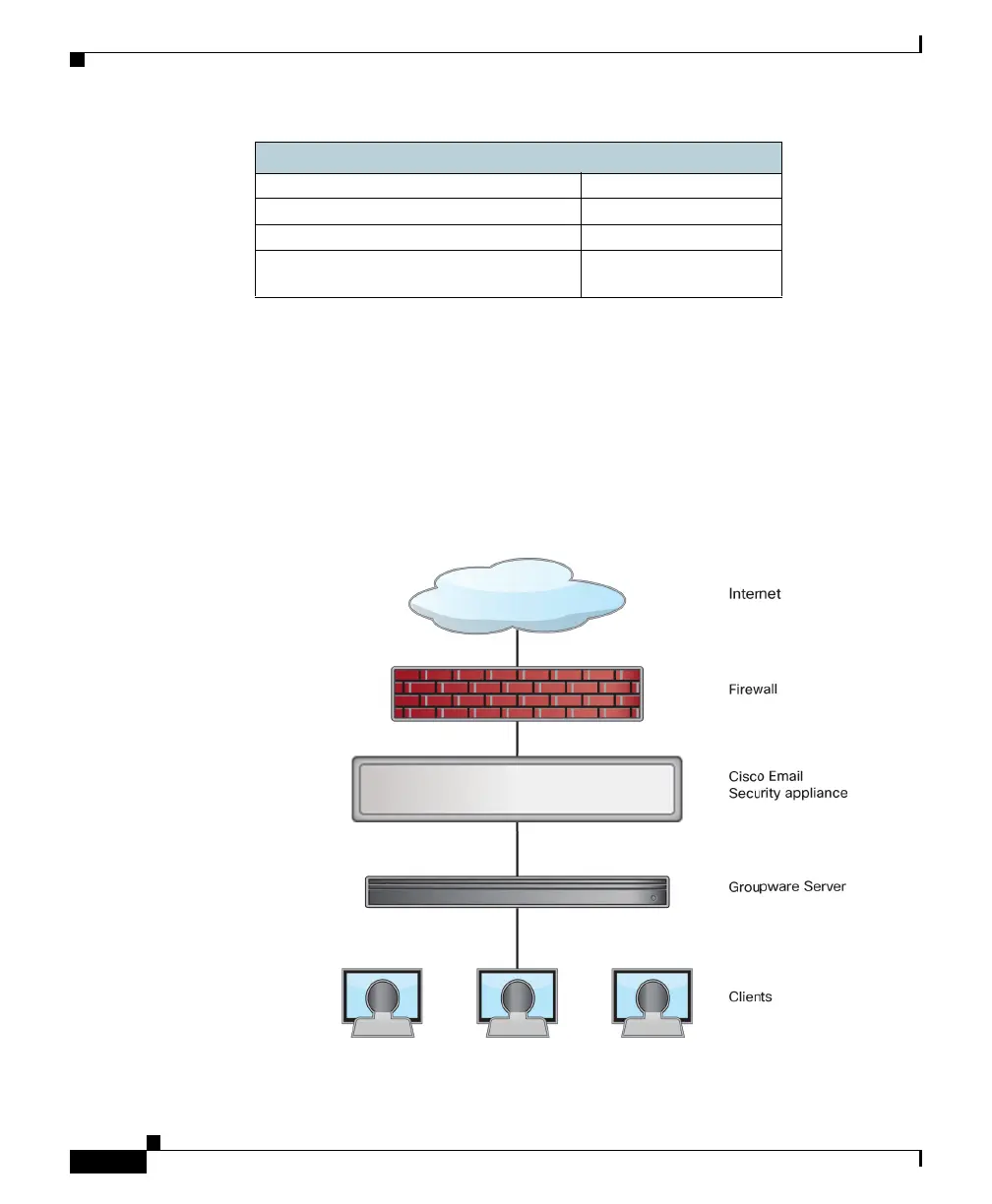
To defend your email system against spam, malware, phishing, and other
threats, the Cisco C190 appliance must be installed at the perimeter of your
network. It needs to be the first appliance with an IP address that can access the
Internet.
Plan for your network configuration to look something like this:
McAfee Anti-Virus Scanning Engine: Enable/Disable
Sophos Anti-Virus Scanning Engine: Enable/Disable
Virus Outbreak Filters: Enable/Disable
Advanced Malware Protection
Scanning Engine
Enable/Disable
Message Security



 To Next Page