13
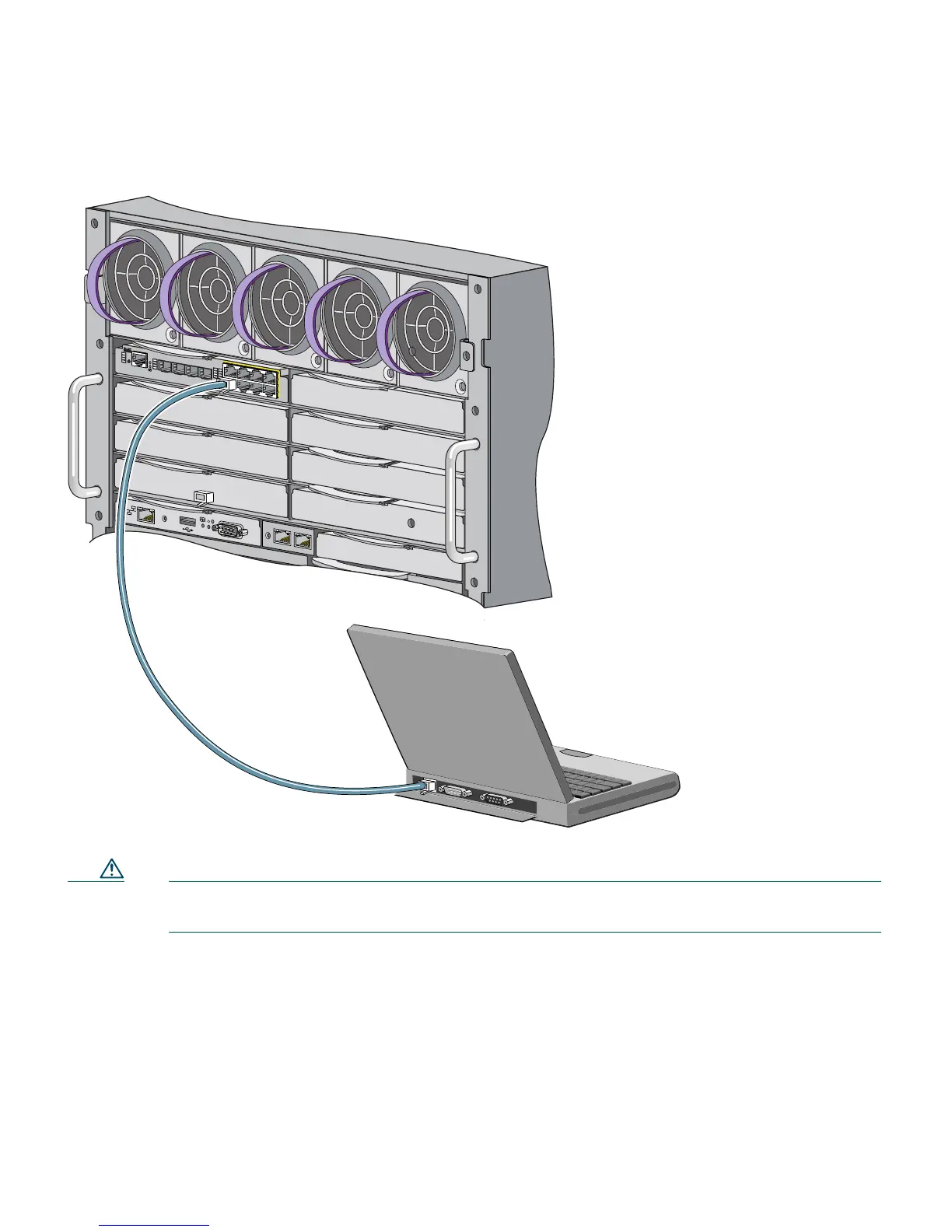
Figure 5 Connecting the Ethernet Cable from a PC to a Switch Module Ethernet Port
Caution Do not connect the switch module to any device other than the PC or workstation being
used to configure it.
Step 7 Connect the other end of the cable to the Ethernet port on the PC or workstation. Verify that
the port status LEDs on both connected Ethernet ports are green.
Step 8 Wait approximately 30 seconds after the port LEDs turn green, and launch a web browser on
your PC or workstation.
2
3
x
2
4
x
2
1
x
2
4
x
1
7
x
1
8
x
1
7
x
2
0
x
1
7
2
0
S
Y
S
T
S
T
A
T
D
L
X
S
P
D
CONSOLE
U
ID
W
S
-C
B
S
-3
0
2
0
-H
P
Q
MODE
M
E
D
IA
D
E
T
E
C
T
S
FP
/R
-45 P
O
R
TS
17
-2
0
1
7
2
0
1
8
1
9
153144














 To Next Page