EasyManua.ls Logo

Cisco Firepower 1120 - User Manual

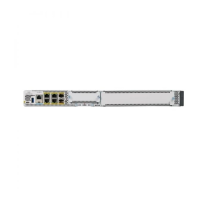
Cisco Firepower 1120
42 pages
Print Icon
To Next Page IconTo Next Page
Loading...
Cisco Firepower 1100 Series Hardware Installation Guide
First Published: 2019-06-13
Last Modified: 2022-10-11
Americas Headquarters
Cisco Systems, Inc.
170 West Tasman Drive
San Jose, CA 95134-1706
USA
http://www.cisco.com
Tel: 408 526-4000
800 553-NETS (6387)
Fax: 408 527-0883
Questo manuale d’istruzione è fornito da trovaprezzi.it. Scopri tutte le offerte per Cisco Firepower 1150
FPR1150-ASA-K9 o cerca il tuo prodotto tra le migliori offerte di Firewall

Other manuals for Cisco Firepower 1120

Question and Answer IconNeed help?

Do you have a question about the Cisco Firepower 1120 and is the answer not in the manual?

Cisco Firepower 1120 Specifications

General IconGeneral
BrandCisco
ModelFirepower 1120
CategoryNetwork Hardware
LanguageEnglish

Summary

CHAPTER 1 Overview

Hardware Specifications

Provides a table of hardware specifications for the Firepower 1100 models.

CHAPTER 2 Installation Preparation

Installation Warnings

Provides important safety instructions and definitions for installation warnings.

Maintain Safety with Electricity

Provides guidelines for working safely with electricity, including unplugging power.

Prevent ESD Damage

Explains ESD damage and outlines prevention procedures like using wrist straps.

CHAPTER 3 Rack-Mount the Chassis

CHAPTER 4 Connect to the Console Port

Connect to the Console Port with Microsoft Windows

Steps to connect to the console port using a Windows PC, including driver installation.

Connect to the Console Port with Mac OS X

Steps to connect to the console port using a Mac OS X system via Terminal utility.

Connect to the Console Port with Linux

Steps to connect to the console port using a Linux system via Terminal utility.

CHAPTER 5 Installation, Maintenance, and Upgrade

Related product manuals