6
Operating system’s built-in wireless network setup
Linksys AE6000
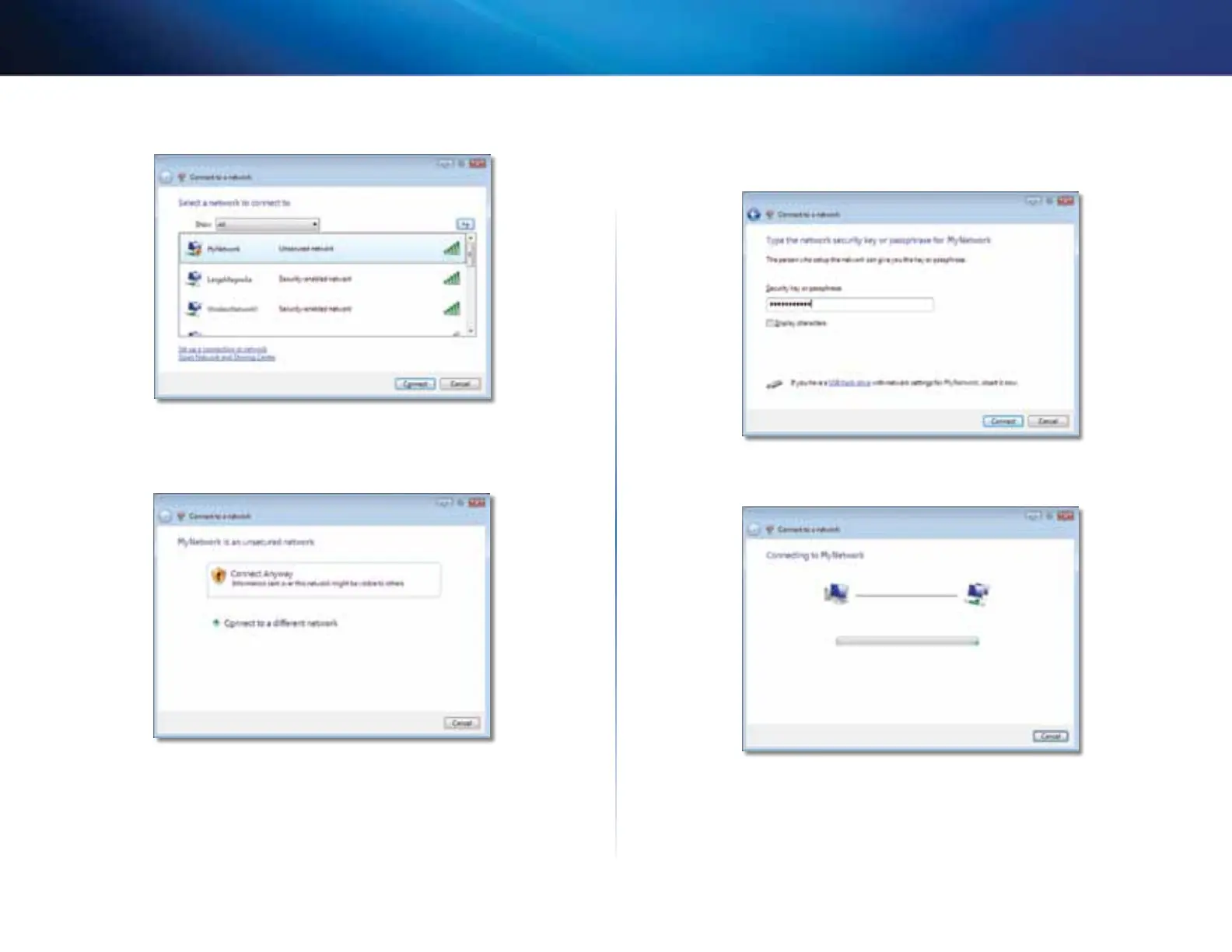
3. Select your network, then click Connect.
4. If your network uses wireless security, go to Step 5.
If your network does not use wireless security, this screen appears. Click
Connect Anyway and go to Step 6.
5. Enter the Wi-Fi Protected Access (WPA/WPA2) passphrase or the Wired
Equivalent Privacy (WEP) key (depending on your type of security), then
click Connect.
This screen appears while the adapter connects to your network. Do not
cancel, unless you want to end the installation.






 To Next Page