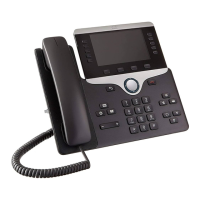
!"#$%&'(&()%*+&,,--&.+/"+#&0#+/&12"3+
5 | Page
Speakerphone, Mute, and
Headset
Speakerphone Toggle the speakerphone on or off.
When the speakerphone is on, the button is lit.
Mute Toggle the microphone on or off. When the
microphone is muted, the button is lit.
Headset Toggle the headset on or off. When the
headset is on, the button is lit.
Contacts, Applications, and
Messages
Contacts Access personal and corporate directories.
Applications Access call history, user preferences,
phone settings, and phone model information.
Messages Autodial your voice messaging system.
Adjust the handset, headset, and speakerphone
volume (off hook) and the ringer volume (on hook).
Navigation
Use the outer ring of the Navigation cluster to scroll through menus and between lines. Use the inner
Select button of the Navigation cluster to select items.
If a menu item has an index number, you can enter the index number with the keypad to select the item.
!
Softkey, Line, and Feature Buttons
You can interact with the features on your phone in several ways:
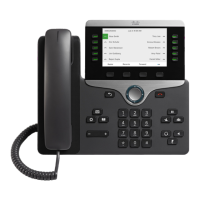
• Softkeys, located below the screen, give you access to the function displayed on the screen above the
softkey. The softkeys change depending on what you are doing at the time. The ¡¡□ and □¡¡ softkey
indicate more softkey functions are available.
• Feature and line buttons, located on either side of the screen, give you access to phone features and phone
lines.
• Feature buttons—Used for features such as Speed dial or Call pickup, and to view your status on
another line.
• Line buttons—Used to initiate or answer a call or resume a held call. You can also use a line key to open
and close the call session window, and to navigate through the call session window. Open the call
session window to see the calls on the line.


 To Next Page
 Loading...