EasyManua.ls Logo

Cisco IP Phone 6851 - User Manual

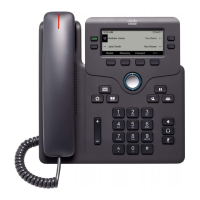
Cisco IP Phone 6851
240 pages
Print Icon
To Next Page IconTo Next Page
Loading...
Cisco IP Phone 6800 Series Multiplatform Phones Administration
Guide
First Published: 2017-11-22
Last Modified: 2017-12-20
Americas Headquarters
Cisco Systems, Inc.
170 West Tasman Drive
San Jose, CA 95134-1706
USA
http://www.cisco.com
Tel: 408 526-4000
800 553-NETS (6387)
Fax: 408 527-0883

Table of Contents

Questions and Answers

  • A
    Alec CharlesAug 3, 2025
    What to do if I'm moving a network connection from a Cisco 6851 IP Phone to a workstation?
    • J
      Janice WilliamsAug 3, 2025
      When moving a network connection from your Cisco IP phone to a workstation, exercise caution if the phone is powered through the network connection. The network card in the computer cannot receive power through the network connection. To protect the network card, wait at least 10 seconds after unplugging the cable from the phone before plugging it into the computer. This delay allows the switch to recognize that the phone is no longer connected and to stop providing power to the cable.
  • H
    hodgerobertAug 10, 2025
    Why connecting a Cisco 6851 to another Cisco 6851 doesn't work?
    • J
      jamesstoneAug 10, 2025
      Cisco IP Phones do not support direct connection to each other through the PC port. Each phone should connect directly to a switch port. Phones connected in a line using the PC port will not function correctly.
  • D
    Donald PowellAug 18, 2025
    What to do if there is a codec mismatch between my Cisco IP Phone and another device?
    • T
      Tiffany MarshallAug 18, 2025
      The RxType and TxType statistics display the codec used for communication between your Cisco IP Phone and another device. For proper function, these values should match. If they don't, ensure the other device supports the codec, or that a transcoder is available to handle the service.
  • E
    evelynhuffmanAug 26, 2025
    What causes a loopback condition on a Cisco 6851 IP Phone?
    • A
      Andre PerkinsAug 26, 2025
      A loopback condition on your Cisco IP Phone can occur under these specific circumstances: 1. The SW Port Configuration option is set to 10 Half (10-BaseT/half duplex). 2. The phone receives power from an external power supply. 3. The phone is powered down (power supply disconnected). In this situation, the switch port on the phone may become disabled, and the message HALF_DUX_COLLISION_EXCEED_THRESHOLD will appear in the switch console log. To resolve this, reenable the port from the switch.

Summary

Cisco IP Phone Hardware Overview

Overview of Cisco IP Phone 6800 Series

Provides an overview of the Cisco IP Phone 6800 Series Multiplatform Phones.

Buttons and Hardware Configuration

Details the physical buttons and hardware components of the Cisco IP Phone.

Terminology Differences Explained

Clarifies differences in terminology between user and administration guides.

Technical Details and Specifications

Physical and Operating Environment Specs

Specifies the physical dimensions and operating environment requirements for the phones.

Phone Power Requirements and Guidelines

Outlines the power supply options and guidelines for Cisco IP Phones.

Supported Network Protocols Overview

Lists and describes the network protocols supported by Cisco IP Phones.

VLAN Interaction and Configuration

Explains how VLANs interact with Cisco IP Phones and impacts voice traffic.

Cisco IP Phone Installation Procedures

Verify Network Setup for IP Telephony

Details initial configuration tasks to prepare the network for IP telephony service.

Install Cisco IP Phone Hardware

Provides step-by-step instructions for installing the Cisco IP Phone.

Configure Network Settings from Phone

Guides users on how to configure network settings directly from the IP phone interface.

SIP and NAT Configuration Explained

Explains Session Initiation Protocol (SIP) and Network Address Translation (NAT) configuration.

Cisco IP Phone Security Features

Security Features Overview

Introduces security features that ensure calls are secure and authenticated.

Configure Internet Connection Type

Details how to set the phone's internet connection type (DHCP or Static IP).

Cisco IP Phone Customization Options

Phone Information and Display Settings

Explains how to customize phone name, wallpaper, logo, and screen saver.

Call Features Configuration Guide

Details how to configure various call features like transfer, forwarding, and conferencing.

Configure Phone Web Server Access

Guides on enabling and configuring the phone's web server interface.

Monitoring Cisco IP Phone Systems

Monitoring Phone Systems Overview

Provides an overview of viewing phone information via status menus and web pages.

Cisco IP Phone Status Information

Details how to view model, status messages, and network statistics on the IP phone.

Accessing Cisco IP Phone Web Page

Explains how to access and utilize the phone's web page for monitoring and troubleshooting.

Troubleshooting Cisco IP Phone Issues

General Troubleshooting Information for IP Phones

Provides general troubleshooting tips and common issues for Cisco IP Phones.

Startup Problems and Solutions

Addresses issues related to the phone not starting up properly or displaying errors.

Phone Reset and Connectivity Issues

Covers problems related to phone resets, DHCP errors, and network connectivity.

Audio Problems Troubleshooting

Guides on resolving audio issues such as no speech path or choppy speech.

Cisco IP Phone Maintenance Procedures

Basic Reset and Restore Procedures

Explains how to perform basic resets to recover from errors or restore settings.

Factory Reset Phone via Web UI

Details the process of performing a factory reset using the phone's web interface.

Voice Quality Monitoring and Metrics

Describes how to monitor voice quality using statistical metrics and troubleshooting tips.

Cisco IP Phone 6851 Specifications

General IconGeneral
BrandCisco
ModelIP Phone 6851
CategoryIP Phone
LanguageEnglish

Related product manuals