
 Need help?
Do you have a question about the Cisco SPA502G and is the answer not in the manual?
Instructions for initiating a call using the phone's handset.
Instructions for initiating a call using the speakerphone feature.
Instructions for initiating a call using a connected headset.
How to mute and unmute the phone's microphone during a call.
Procedure for placing a call on hold and resuming it.
Steps to create a three-way local conference call.
Guidance on performing blind and announced call transfers.
Instructions for enabling and disabling call forwarding.
Methods for answering incoming calls using handset, speakerphone, or headset.
How to terminate an active call using soft keys or hanging up.
Using the redial feature and editing numbers before dialing.
How to activate and deactivate the Do Not Disturb feature.
Checking for new messages and accessing the voice mail system.
Accessing the company and personal directories for contacts.
Creating and using speed dial numbers for quick dialing.
Adjusting handset, speakerphone, and ringer volumes.
Changing the ring tone for incoming calls.
Parking and retrieving calls using the Star2Star system features.
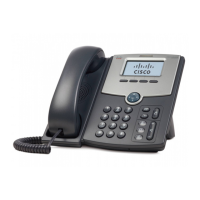
This document provides a comprehensive guide for the Cisco SPA502G, a single-line appearance phone, detailing its basic features, customization options, and various communication functionalities. It is designed to assist users in effectively operating the device within a Star2Star Communications environment.
Placing a Call:
Answering a Call:
Ending a Call:
Microphone Mute:
Call Hold and Resume:
Local Conference Calls:
Call Transfer:
Call Forwarding:
Redial:
Do Not Disturb (DND):
Voice Mail:
Directory: The Company Extension Directory is automatically downloaded to the phone.
Personal Address Book:
Corporate Directory:
Speed Dials: You can create speed dials assigned to a number (2-9, location 1 is reserved for voice mail).
Volume Adjustment:
Ring Type:
Star2Star Call Park and Retrieve:
For detailed information, users are encouraged to consult the Star2Star Phone and Features Guide, available for view/download via the Star2Star Web Portal at: https://portal.star2star.com/.
 General
| Lines | 1 |
|---|---|
| Protocol | SIP |
| Power over Ethernet (PoE) | Yes |
| Speakerphone | Yes |
| Headset Port | Yes |
| Ethernet Ports | 1 x 10/100 Mbps |
| Voice Codecs | G.711, G.729 |









 To Next Page


