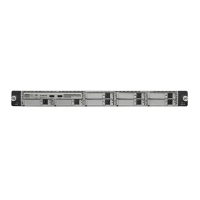
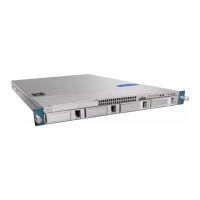
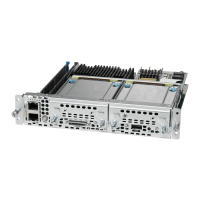
◦ Double-Wide E-Series Server—Supports DDR3 1333 MHz RDIMM 1.35 V, 4 GB, 8 GB and 16
GB
◦ Double-wide with PCIE support—Supports DDR3 1333 MHz RDIMM 1.35 V, 4 GB, 8 GB, and
16 GB
◦ EHWIC E-Series NCE—Supports DDR3 1333 MHz SODIMM, 4 GB, 8 GB, and 16GB
•
Check if the DIMM is correctly installed in the server slot, otherwise, remove and reinstall the DIMM.
Front Panel Video Port Does Not Work—Applicable to the E-Series Servers and the SM E-Series NCE
This problem occurs if the Enable Local Server Video checkbox is not checked. To resolve this problem,
do the following from the CIMC GUI.
Procedure
SUMMARY STEPS
1.
In the Navigation pane, click the Server tab.
2.
On the Server tab, click Remote Presence.
3.
In the Remote Presence pane, click the Virtual KVM tab.
4.
In the vKVM Properties area, check the Enable Local Server Video checkbox.
DETAILED STEPS
Step 1
In the Navigation pane, click the Server tab.
Step 2
On the Server tab, click Remote Presence.
Step 3
In the Remote Presence pane, click the Virtual KVM tab.
Step 4
In the vKVM Properties area, check the Enable Local Server Video checkbox.
Front Panel USB Port Does Not Work
The light on the device that is connected to the front panel USB port is off. This problem occurs if the USB
Port in the USB BIOS Settings is not enabled. To resolve this problem, do the following from the CIMC GUI.
Procedure
SUMMARY STEPS
1.
In the Navigation pane, click the Server tab.
2.
On the Server tab, click BIOS.
3.
In the Actions area, click Configure BIOS. The Configure BIOS Parameters dialog box appears.
4.
In the Configure BIOS Parameters dialog box, click the Advanced tab.
5.
Scroll down until you reach the USB BIOS Settings area.
6.
Verify if the USB Port 0 and USB Port 1 are enabled. If the ports are disabled, enable them.
Troubleshooting Guide for Cisco UCS E-Series Servers and the Cisco UCS E-Series Network Compute Engine
15
Overview
LED, DIMM, Video Port, USB Port, and CD/DVD Troubleshooting


 To Next Page