Adjusting the time
When the watch stops, wind the mainspring manually
before setting (see pages
7
to
9
).
1
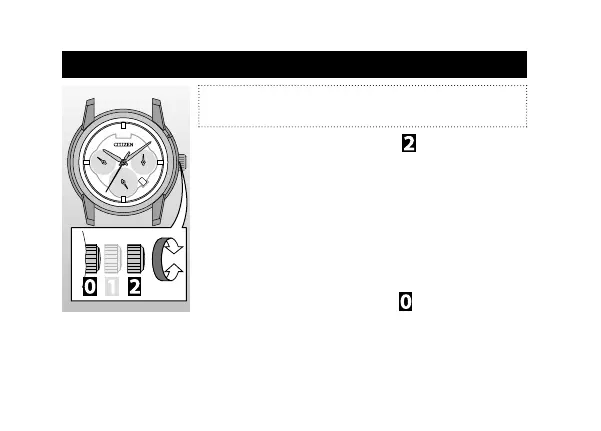
Pull the crown out to position as the second
hand points 0 second.
The second hand stops.
2
Rotate the crown to adjust the time.
All the hands and the date indicator move together
(except the second hand).
• Check the 24-hour hand to set AM/PM correctly.
• The hands do not move together when moving hands
counterclockwise.
3
Push the crown in to position following a
certain time signal.
10



 To Next Page