1
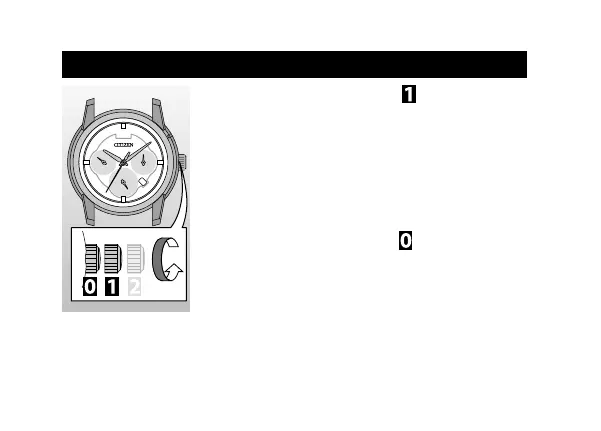
Pull the crown out to position as the second
hand points 0 second.
2
Rotate the crown counterclockwise to adjust the
day.
• To make the day hand pointing the center of day
indication, rotate the crown slightly.
• Rotating the crown clockwise changes the date
indication.
3
Push the crown in to position to finish this
procedure
.
Adjusting the day (quick day adjustment)
12



 To Next Page