24
CE LECTEUR COMBINÉ VOUS PERMET DE PERSONNALISER LA PERFORMANCE SELON VOS
GOÛTS.
1. Appuyez sur la touche SETUP.
2. Appuyez sur la touche ‘
’ pour mettre la catégorie en surbrillance et appuyez sur la touche ENTER.
3. Appuyez sur la touche SETUP pour retourner à lecture normale.
AVIS
• Le mot de passe par défaut est 3308 .
• L’écran du menu des régalges SETUP MENU apparaîtra si vous appuyez sur la touche SETUP lorsqu’il est affiché.
• N’importe quelle touche peut désactiver l’écran de veille à l’exception de la touche POWER. Vous pourrez ensuite appuyer sur n’importe quelle
touche de fonctionnement.
• Les fonctions et menus sont sujet à changement sans préavis.
• Vous devez retirez le/les disque(s) du lecteur afin d’accéder à la page des préférences.
PERSONNALISER LE RÉGLAGE DES FONCTIONS
AFFICHAGE DU MENU DES RÉGLAGES À L’ÉCRAN
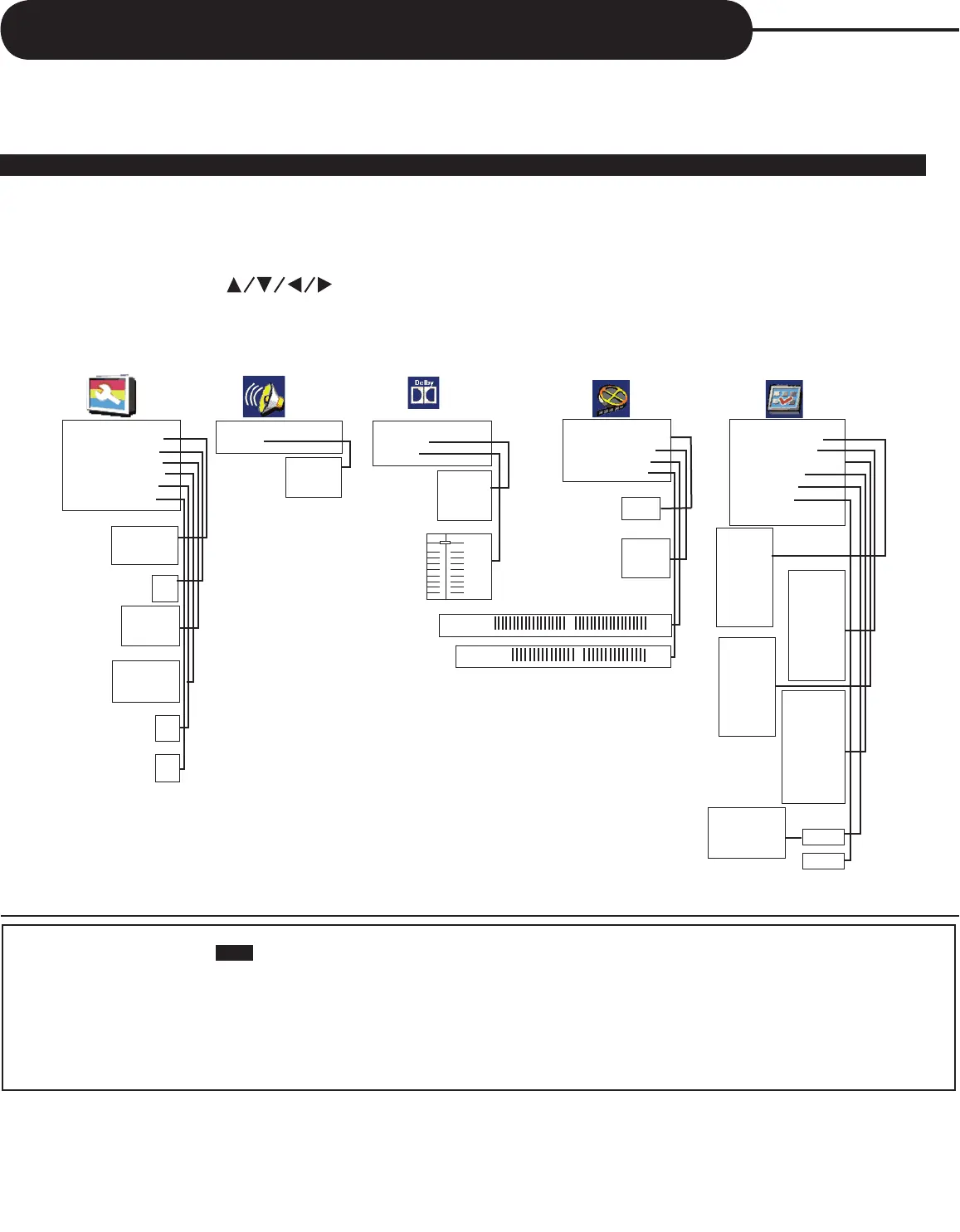
L’écran du menu des réglages SETUP MENU vous demande de sélectionner une catégorie à partir du menu de
réglages général, des réglages des haut-parleurs, du réglage Dolby Digital, des réglages vidéo et des préférences.
La catégorie sélectionnée vous permet de voir les détails affichés à l’écran.
--General Setup Page--
TV Display PS
Angle Mark On
OSD Lang ENG
SPDIF Output RAW
Captions Off
Screen Saver On
--Speaker Setup Page--
Downmix
Normal /PS
Normal /LB
Wide
On
Off
English
French
Spanish
SPDIF Off
SPDIF/RAW
SPDIF/PCM
On
Off
On
Off
LT/RT
Stereo
--Dolby Digital Setup--
Dual Mono
Dynamic
Stereo
L-Mono
R-Mono
Mix-Mono
FULL
3 / 4
1 / 2
1 / 4
OFF
--Video Setup Page--
Video Output S-VIDEO
Sharpness Low
Brightness 00
Contrast 00
High
Medium
Low
- 2 0 0 + 2 0
- 1 6 0 + 1 6
--Preference Page--
Audio ENG
Subtitle Off
Disc Menu ENG
Parental
Password
Default
English
French
Spanish
Chinese
Japanese
Korean
Russian
Thai
1 KID SAFE
2 G
3 PG
4 PG-13
5 PG R
6 R
7 NC-17
8 ADULT
Off
English
French
Spanish
Chinese
Japanese
Korean
Russian
Thai
English
French
Spanish
Chinese
Japanese
Korean
Russian
Thai
Off
Old Password
New Password
Confirm PWD
OK
Change
Reset
S-VIDEO
YPbPr



 To Next Page