6
Remote Control
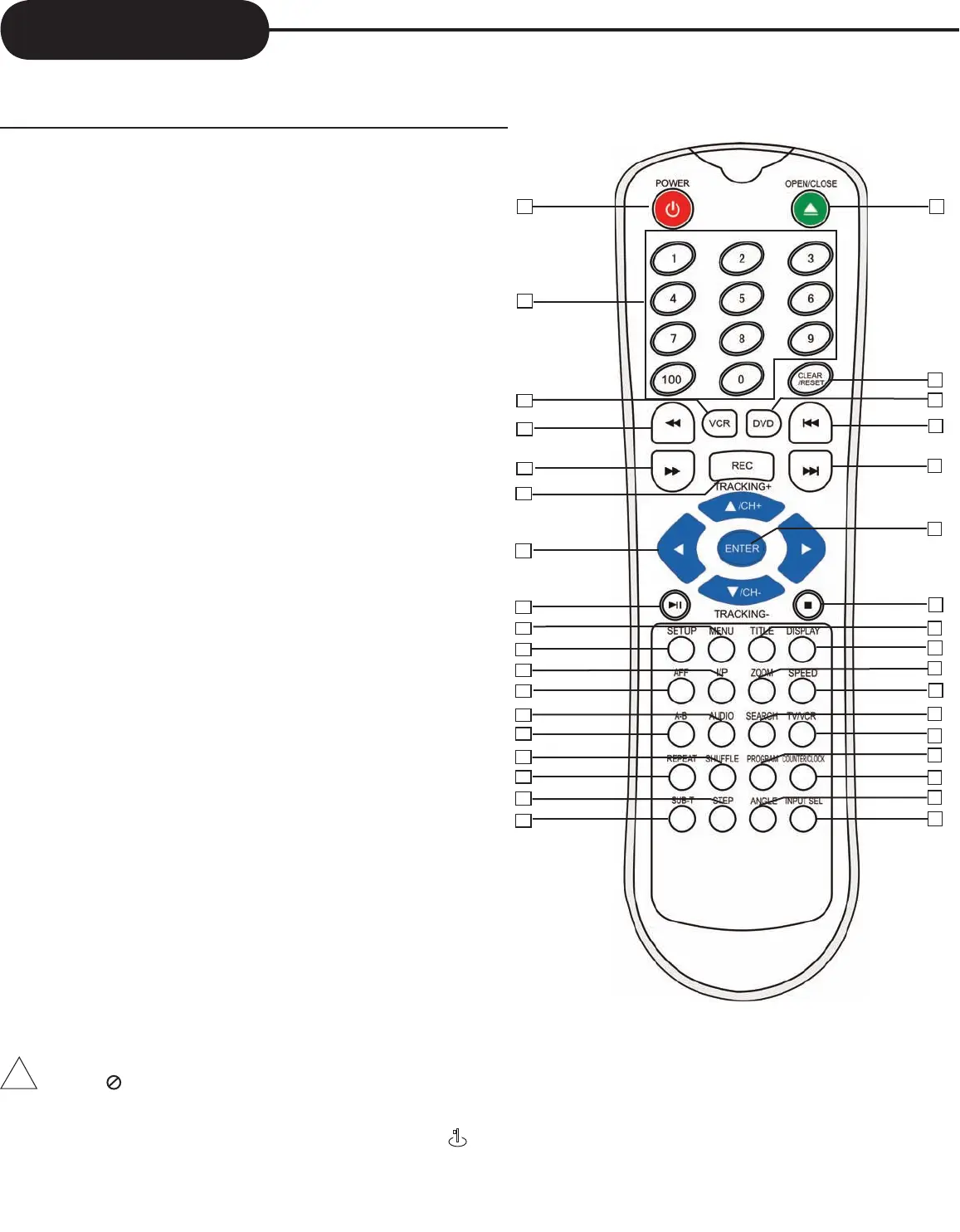
THE INSTRUCTIONS BELOW DESCRIBE THE
FUNCTIONS ON THE REMOTE CONTROL.
• POWER button on the remote control is for standby power.
• When“ ” displayed on TV, function is not operational on the disc.
• Child Lock!!!
Press the POWER button of the remote control for about 8 seconds. No buttons of front panel and
remote control can be operated now and Lock indicator “ ” will be displayed on window display. To
release child lock, press the POWER button of the remote control for about 8 seconds.
!
18. SUBTITLE
19. OPEN/CLOSE
20. CLEAR/RESET
21. DVD
22. SKIP REVERSE
23. SKIP FORWARD
24. ENTER
25. STOP
26. TITLE
27. DISPLAY
28. ZOOM
29. SPEED
30. SEARCH
31. TV/VCR
32. PROGRAM
33. COUNTER/CLOCK
34. ANGLE
35. INPUT SEL.
1. POWER
2.
NUMBER BUTTONS
3. VCR
4. FAST REVERSE
5. FAST FORWARD
6. REC
7. DIRECTION BUTTONS
8. PLAY/PAUSE
9. MENU
10. SETUP
11. I/P (INTERLACE/PROGRESSIVE SCAN)
12. AFF
13. AUDIO
14. A-B REPEAT
15. SHUFFLE
16. REPEAT
17. STEP
8
6
3
28
33
32
19
27
15
21
34
5
17
18
1
26
2
4
9
10
11
12
7
13
14
16
35
20
22
23
24
25
30
29
31



 To Next Page