23
English
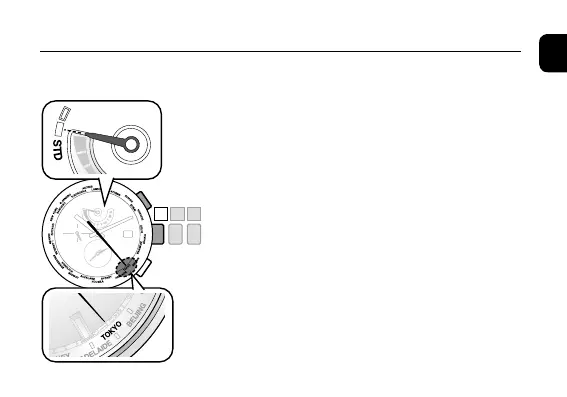
1. Ensure that the crown is in position
0
.
2. Press and release the upper right button
Ⓑ
.
The second hand indicates the current city settings
of the home time and the function hand indicates
the summer time information.
• SettingSummertime
→
Page 31
• Secondtimezonecheckingcontinuedonthe
next page.
◆
Checking the Home time / Local time
Setting the World Time










 To Next Page