61
English
Adjusting the time/calendar manually
Manuallyadjustthetime/calendarwhenthewatchcannotreceivethetimesignal.
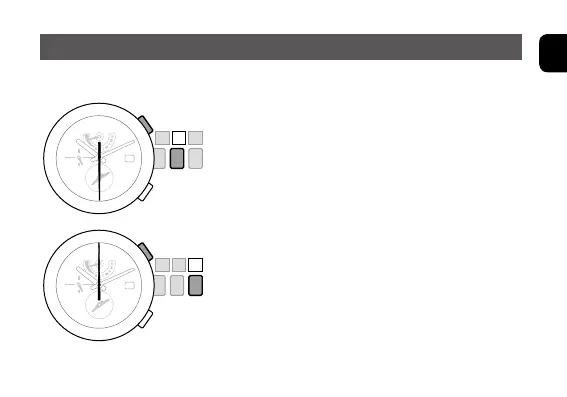
1. Pull the crown out to position
1
.
Rotatethecrownclockwiseorcounterclockwise
until the second hand indicates the time zone nearest
your current location. The hour, minute and 24-hour
hands will rotate to the current time set in memory
for the chosen timezone.
Press and release the upper right button
Ⓑ
to turn
summertimeONorOFF.Besuretopayattentionto
SMT-AU(automaticupdate)orSMT-MA(manual
update) position.
2. Press and hold the upper right button
Ⓑ
for
two or more seconds.
The second hand moves to the 30-second position.
3. Pull the crown out to position
2
.
The second hand moves to the 0 second position
indicating the time and calendar may be manually
adjusted.












 To Next Page