68
Checking and correcting the current reference position
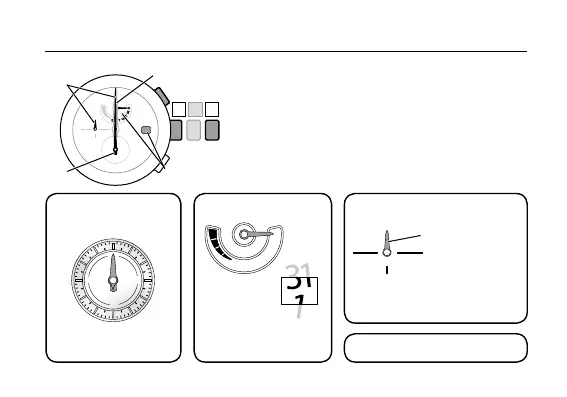
4. Press and release the upper right button
Ⓑ
to
select the correction target.
Each time you press and release the upper right button
Ⓑ
, the correction target changes as follows and the
corresponding hand slightly moves.
①
Local time / minute hand, 24-hour hand
→
②
Function hand / date
→
③
Minute hand/hour hand/24-hour hand
→
④
Second hand
→
back to
①
24-hour hand
The minute, hour, 24-hour hands move
in conjunction with one another.
The function hand and date
indication move in conjunction
with each other.
The minute hand and
24-hour hand move in
conjunction with each other.
②
Function hand / date
④
Second hand
①
Local time / minute
hand, 24-hour hand
③
Minute hand/hour hand/
24-hour hand
②
④
①
③










 To Next Page