Citrix ADC MPX
Entering a dummy IP address, such as 0.0.0.0 is supported.
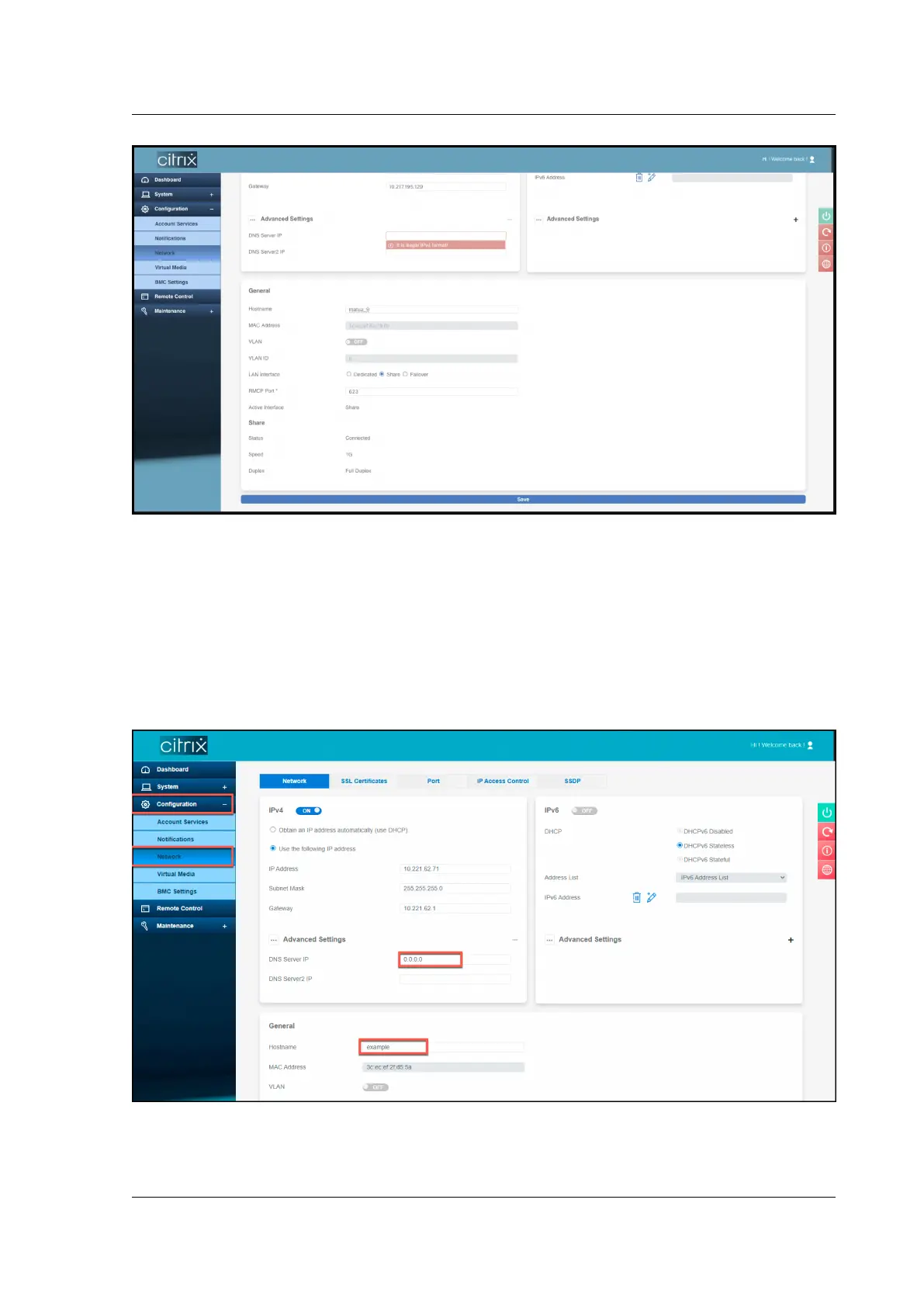
Perform the following steps to change the host name for BMC version 2.12 using the LOM GUI.
1. Log on to the LOM GUI.
2. Navigate to Configuration > Network.
3. In the DNS Server IP field, type an IP address. Type 0.0.0.0 if you don’t have an IP address.
4. Type a host name.
5. Click Save.
© 1999–2023 Cloud Soware Group, Inc. All rights reserved. 182



 To Next Page
 Loading...