05 USING THE TELEPHONE
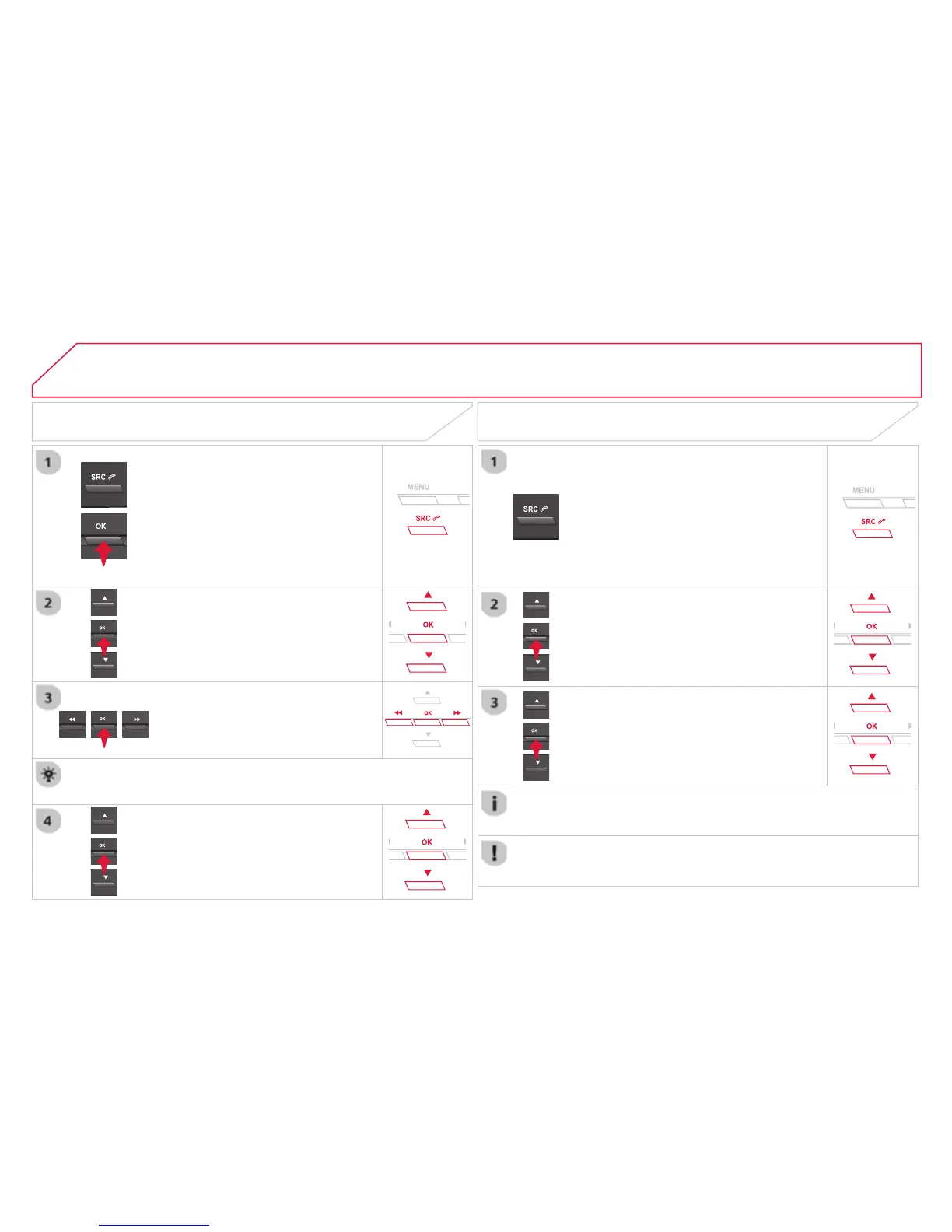
To display the " TELEPHONE " menu:
- Make along press on SOURCE
or SRC .
- Or, press OK to display the
contextual menu. Select " Call " and
confi rm.
- Or, press MENU , select
" Telephone " and confi rm.
Select " Call " and confi rm.
Select " Dial " to enter a number and
confi rm.
To display the " TELEPHONE " menu:
- Make a long press on SRC/TEL .
- Or, press the dial to display the
contextual menu. Select " Call " and
confi rm.
- Or, press MENU , select
" Telephone " and confi rm.
Select " Call " and confi rm.
Select OK and confi rm to start the
call.
Select " Calls list " and confi rm.
Making a call - Dialling
Select numbers one at a time using
the and buttons and confi rm.
Making a call - Recently called numbers *
Select the number and confi rm to start
the call.
The calls list includes calls sent and received in the vehicle using the
connected telephone.
* Depending on the compatibility of the telephone.
Correction allows numbers to be deleted one at a time.
It is possible to make a call directly from the telephone; park the
vehicle fi rst as a safety measure.



 To Next Page