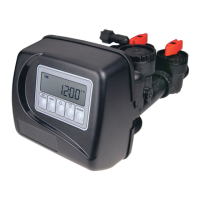
STEP 1F
STEP 2F
STEP 3F
STEP 4F
STEP 6F
OEM Filter System Setup
In OEM Filter System Setup the order of the cycles is preset to Backwash, dn Brine, Backwash, Rinse and Fill. Fill is set in gallons
and all other cycles are set in minutes. Each cycle can be set to off. Fill is always Post Fill even if Pre is selected in Step 4C.
Step 6F – Select the time for the fi fth cycle (which in this example is RINSE) using the ▼ or ▲ button.
Press NEXT to go to Step 7F. Press REGEN to return to previous step.
STEP 5F
Step 5F – Select the time for the third cycle using the ▼ or ▲ button. Press NEXT to go to Step 6F.
Press REGEN to return to previous step.
Step 1F – Press NEXT and ▼ simultaneously for 3 seconds and release. If screen in Step 2F does not
appear in 5 seconds the lock on the valve is activated. To unlock press ▼, NEXT, ▲, and SET CLOCK
in sequence, then press NEXT and ▼ simultaneously for 3 seconds and release.
Step 2F – Choose FILTERING using the ▼ or ▲ buttons. Press NEXT to go to Step 3F. Press REGEN
to exit OEM Filter System Setup.
Step 3F – Select the time for the fi rst cycle using the ▼ or ▲ button. Press NEXT to go to Step 4F. Press
REGEN to return to previous step.
Step 4F – Select the time for the second cycle using the ▼ or ▲ button. Press NEXT to go to Step 5F.
Press REGEN to return to previous step.
NOTE: The display will fl ash between cycle number and time, and brine direction (dn or UP).
STEP 7F – Enter “oFF” if regenerant is not used (i.e. backwash only) or enter the refi ll volume (in
gallons) using ▼ or ▲ buttons. Prior to selecting oFF or regenerant volume, verify the correct valve
body, main piston, regenerant piston, and stack are being used, and that the injector or injector plug(s)
are in the correct locations. See Compliance Table in Service Instructions under Injector Cap, Screen,
Injector Plug and Injector section and Figure 6.
Press NEXT to go to Step 8F. Press REGEN to return to previous step.
STEP 7F



 To Next Page