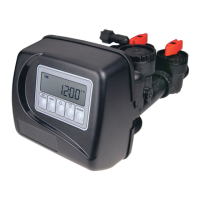
STEP 1CS
OEM Confi guration Setup
Step 1CS – Press NEXT and W simultaneously for 3 seconds and release. Then press NEXT and W
simultaneously for 3 seconds and release. If screen in Step 2CS does not appear in 5 seconds the lock
on the valve is activated. To unlock press W, NEXT, V, and CLOCK in sequence, then press NEXT
and W simultaneously for 3 seconds and release. Then press NEXT and W simultaneously for 3
seconds and release.
Step 2CS – Use the Vor W to select 1.0 for 1” valve, 1.25 for 1.25” valve, 1.5 for 1.5” valve, 2.0L
for 2L valve or 2.0 for 2” valve
3
.
Press NEXT to go to Step 3CS.
Press REGEN to exit OEM cycle sequence.
Step 3CS – When 2.0L or 2.0 is selected, an additional screen will appear. It is used to select which
size fl ow meter is to be used with the valve, 1.5, 2.0 or 3.0. Variable meter pulses of 0.1-150.0 PPG
can also be selected.
Press NEXT to go to Step 4CS.
Press REGEN to return to previous step.
STEP 2CS
3
When using the WS2 control valve, the circuit board software must have valve selection choices of 2.0 and 2.0L. The WS2 valve must be set for
the 2.0 valve type during programming. If the software version does not have both the 2.0 and 2.0L selections, consult your equipment supplier for a
replacement circuit board. When using the WS2L valve with older version software that does not have both 2.0 and 2.0L selection choices, the valve
must be set to 2.0 during programming. If a WS2L valve is being used with newer version software that has both 2.0 and 2.0L selection choices, the
valve must be set to 2.0L during programming.
Note: When using the WS2 valve, if “2.0L” is set instead of “2.0”, when the valve is in regeneration and the piston drives to
the “DRAW” cycle the piston will stall and generate a 102 error code. Clear the error code by pressing “NEXT” and “REGEN”
buttons simultaneously until the valve resets, then re-program valve to proper valve type setting.
STEP 3CS



 To Next Page