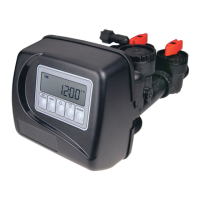
Once the OEM Cycle Sequence has been set, the other procedures can be accessed in any order. Details on each of the procedures
are provided on the following pages.
To “lock out” access to diagnostic and valve history displays and modifi cations to settings except hardness, day override, time
of regeneration and time of day by anyone but the manufacturer, press W, NEXT, V, and CLOCK in sequence after settings are
made. To “unlock”, so other displays can be viewed and changes can be made, press W, NEXT, V, and CLOCK in sequence.
When in operation normal user displays such as time of day, volume remaining before regeneration, present fl ow rate or days
remaining before regeneration are shown. When stepping through a procedure, if no buttons are pressed within fi ve minutes, the
display returns to a normal user display. Any changes made prior to the fi ve minute time out are incorporated.
To quickly exit OEM Softener Setup, OEM Filter Setup, Installer Display Settings, Diagnostics or Valve History press CLOCK.
Any changes made prior to the exit are incorporated.
To clear the Service Call reminder, press Vand Wsimultaneously while CALL is displayed.
When desired, all programming and information in Diagnostics may be reset to zero when the valve is installed in a new
location. To reset to zero, press NEXT and W buttons simultaneously to go to the Softening/Filtering screen. Press V and
W simultaneously to reset programming and diagnostic values to zero. Screen will return to User Display.
Sometimes it is desirable to have the valve initiate and complete two regenerations within 24 hours and then return to the preset
regeneration procedure. It is possible to do a double regeneration if the control valve is set to “DELAYED REGEN” or “DELAY
+ IMMEDIATE” in OEM Softener System Setup or OEM Filter System Setup. To do a double regeneration:
1. Press the “REGEN” button once. REGEN TODAY will fl ash on the display.
2. Press and hold the “REGEN” button for three seconds until the valve regeneration initiates.
Once the valve has completed the immediate regeneration, the valve will regenerate one more time at the preset regeneration time.
Proportional Brining
If the system is set up as a prefi ll 1” upfl ow softener the control valve can also be set to normal or proportional brining.
This step will appear after Step 8S and before Step 9S if the system is set up as a prefi ll
upfl ow softener. The following options can be selected:
• NORMAL FILL - System always prefi lls with the salt level selected.
• PROPORTIONAL FILL - If proportional brining is selected, the actual salt fi ll time will
be calculated by dividing the actual volume of treated water used by the full volumetric
capacity, then multiplying this value by the maximum salt fi ll time.
Press NEXT to go to the next step. Press REGEN to return to the previous step.



 To Next Page