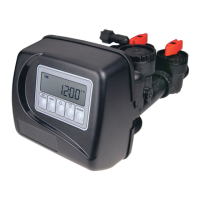
OEM Filter System Setup
STEP 1F
STEP 2F
STEP 3F
STEP 4F
STEP 6F
Step 1F – Press NEXT and W simultaneously for 3 seconds and release. If screen in Step 2F does not
appear in 5 seconds the lock on the valve is activated. To unlock press W, NEXT, V, and CLOCK in
sequence, then press NEXT and W simultaneously for 3 seconds and release.
Step 2F – Choose FILTERING DN POST using the W or V buttons. Press NEXT to go to Step 3F.
Press REGEN to exit OEM Filter System Setup.
Step 3F – Select the time for the fi rst cycle using theW or V button. Press NEXT to go to Step 4F.
Press REGEN to return to previous step.
Step 4F – Select the time for the second cycle using the W or V button. Press NEXT to go to Step 5F.
Press REGEN to return to previous step.
Step 6F – Select the time for the fourth cycle using the W or V button. Press NEXT to go to Step 7F.
Press REGEN to return to previous step.
Type Backwash Draw Backwash Rinse Fill
Filtering DN Post 8 60 8 8 0.95 GAL
Filtering DN Post (1.5” MIN or 2” valve) 8 60 8 8 6 MIN
Cycle Units Range Default
Backwash MIN 1-120 or OFF 8
Rinse MIN 1-120 or OFF 8
Draw (Up or Down) MIN 1-160 or OFF 60
Fill (all but 2” valve) GAL 0.05-20.00 or OFF 0.95
Fill (2” valve) MIN 0.1-99.0 or OFF 6
STEP 5F
Step 5F – Select the time for the third cycle using the W or V button. Press NEXT to go to Step 6F.
Press REGEN to return to previous step.



 To Next Page