EasyManua.ls Logo

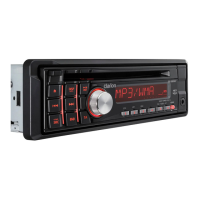
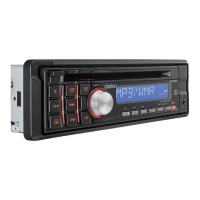
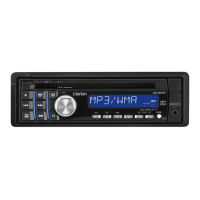
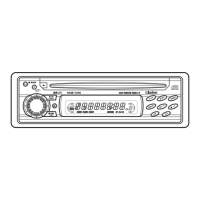
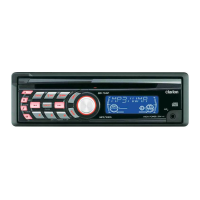
Clarion DB189RGMP - User Manual

Clarion DB189RGMP
27 pages
Print Icon
To Next Page IconTo Next Page
Loading...
CD/MP3/WMA RECEIVER
AUTORADIO CD/MP3/WMA
CD/MP3/WMA-RECEIVER
SINTOLETTORE CD/MP3/WMA
CD/MP3/WMA-RADIO-COMBINATIE
RECEPTOR
CD/MP3/WMA
CD/MP3/WMA-RADIO
RECEPTOR CD/MP3/WMA
Owner’s manual
Mode d’emploi
Bedienungsanleitung
Istruzioni per l’uso
Gebruiksaanwijzing
Manual de instrucciones
Bruksanvisning
Manual de instruções
DB188RMP
DB189RMP
DB189 RGM P

Other manuals for Clarion DB189RGMP

Questions and Answers

  • J
    jochoaSep 9, 2025
    Why is there no sound from my Clarion DB189RGMP Car Receiver with amplifiers/power antenna?
    • A
      Adam MoralesSep 9, 2025
      If you're getting no sound output from your Clarion Car Receiver when using amplifiers or a power antenna, the power antenna lead may be shorted to ground, or the amplifiers/power antenna may require excessive current. Here's how to troubleshoot: 1. Turn the unit off. 2. Remove all wires attached to the power antenna lead and check each wire for shorts to ground using an ohm meter. 3. Turn the unit back on. 4. Reconnect each amplifier remote wire to the power antenna lead one by one. If the amplifiers turn off before all wires are attached, use an external relay to provide remote-on voltage.
  • B
    Bryan BarnesSep 12, 2025
    How to fix a Clarion DB189RGMP Car Receiver when the sound skips?
    • S
      staceyfosterSep 12, 2025
      If the sound from your Clarion Car Receiver skips or is noisy, the compact disc might be dirty, heavily scratched, or warped. Try cleaning the disc with a soft cloth. If that doesn't work, replace the disc with one that has no scratches.
  • S
    Susan WilliamsSep 13, 2025
    Why my Clarion DB189RGMP doesn't play MP3/WMA files?
    • Q
      qhenrySep 13, 2025
      If your Clarion Car Receiver isn't playing sound from a disc, it could be due to a few reasons related to the MP3/WMA files. First, ensure the MP3/WMA files are properly written onto the disc. Second, confirm that the files are correctly encoded as MP3/WMA files. Finally, check that you're using the correct file system: ISO9660 level 1, 2, JOLIET, or Romeo.
  • A
    angelamorganSep 15, 2025
    Why does my Clarion DB189RGMP Car Receiver sound bad when first turned on?
    • T
      traciestoneSep 15, 2025
      If your Clarion Car Receiver sounds bad immediately after being turned on, water droplets may have formed on the internal lens due to humidity. Let it dry for about 1 hour with the power on.
  • N
    nicolemillerSep 16, 2025
    Why does my Clarion DB189RGMP Car Receiver show the wrong filename?
    • M
      munozcarlSep 17, 2025
      If your Clarion Car Receiver is displaying the wrong filename, the file system is likely incorrect. Make sure to use ISO9660 level 1, 2, JOLIET, or Romeo file system.

Summary

1. FEATURES

2. PRECAUTIONS

Handling Compact Discs

Handling

Instructions for handling compact discs.

Storage

Guidelines for storing compact discs to prevent damage.

Cleaning

Methods for cleaning compact discs.

3. CONTROLS

Names of the Buttons and Their Functions

Details the functions of various buttons on the unit.

Display Items

Explains symbols and indicators shown on the unit's display.

Display Screen

4. DCP (DETACHABLE CONTROL PANEL)

Removing the DCP

Steps to detach the control panel from the main unit.

Attaching the DCP

Steps to reattach the control panel to the main unit.

Storing the DCP

How to store the detachable control panel in its case.

5. OPERATIONS.

Basic Operations

Covers fundamental operations like power, volume, and mode selection.

Sound Adjustment

Z-Enhancer Plus Settings

MAGNA BASS EXTEND

CT (Clock Time) Function

Radio Operations

Listening to the radio

Basic steps to tune into radio stations.

Tuning

Explains seek tuning, manual tuning, and preset tuning methods.

Recalling a preset station

Manual memory

Auto store

Preset scan

RDS Operations

Radio Data System

Overview of the RDS decoder system and its features.

AF function

How the AF function maintains optimum reception by switching frequencies.

REG (Regional programme) function

How the REG function receives regional stations.

Manually tuning a regional station in the same network

TA (Traffic Announcement)

PTY (Programme Type)

Selecting PTY

PTY seek

PTY preset memory

Emergency broadcast

Switching the PTY display language

Volume setting of TA, emergency broadcast (Alarm) and PTY

CD;MP3;WMA Operations

MP3;WMA

Explains MP3 and WMA audio formats and their characteristics.

Precautions when creating MP3;WMA file

Guidelines for creating compatible MP3/WMA files for the unit.

Ejecting a CD

Listening to a disc already loaded in the unit

Loading a CD

Pausing play

Displaying CD titles

Selecting a track

Fast-forward;fast-backward

Folder Select

Scan play

Folder scan play

Repeat play

Folder repeat play

Random play

Folder random play

To cancel play

Operations Common to Each Mode

To change adjustment setting

How to change various unit settings.

Turning the screen saver function on or off

How to enable or disable the screen saver.

Setting the method for title scroll

How to configure title scrolling for CD-TEXT/MP3/WMA.

Setting the dimmer control

How to adjust the display brightness.

Setting the car speaker output for the cellular phone

Cellular phone interrupt setting

AUX function

Selecting AUX IN sensitivity

6. TROUBLESHOOTING

7. ERROR DISPLAYS

8. SPECIFICATIONS

Clarion DB189RGMP Specifications

General IconGeneral
BrandClarion
ModelDB189RGMP
CategoryCar Receiver
Radio TunerAM/FM
Display TypeLCD
Detachable FaceYes
HD RadioNo
SIRIUS or XM CompatibilityNo
Memory Card SlotNo
MP3 PlaybackYes
WMA PlaybackYes
Remote ControlYes
DIN SizeSingle DIN
Power Output50W x 4
USB PortYes
AUX InputYes

Related product manuals